Usage
The Graphical Rental Disposition page provides a wide range of information about rental planning. It can be used as a general overview but also allows you to create rental documents as well as move documents to different dates and if relevant, different serial numbers. Service orders can be viewed, reopened, and extended/shortened as needed. When changes are made, the rental documents and service orders are updated accordingly in COSMO Rental and vice versa.
The Graphical Rental Disposition page can be accessed in the following ways:
- From the Tell Me feature by choosing the
 icon, enter Graphical Rental Disposition, and then choose the related link.
 - From the rental documents (quote, reservation, contract) by choosing the Rental Disposition action on the Actions menu.
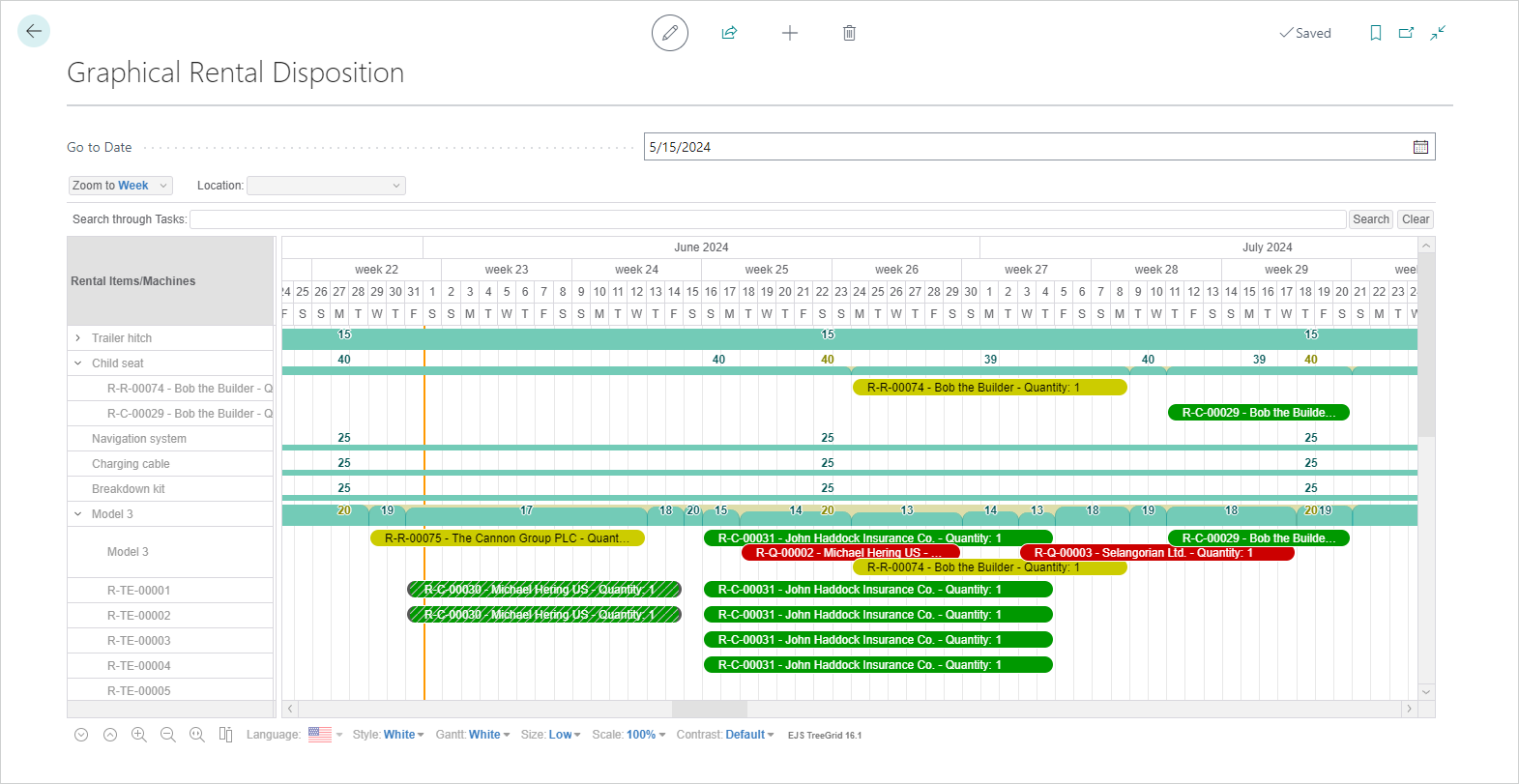
The following graphic shows rental documents with different colors for contracts (in green), reservations (in yellow), quotes (in red) as well as the work date highlight (in orange).
Note
Based on settings in the Graphical Rental Setup page, it is possible to show or hide rental quotes, rental reservations, rental contracts, service orders, or rental items/machines without inventory. This topic uses the default values: all types of rental documents and service orders are visible but rental items/machines without inventory are not.
The usage differs for rental documents and service orders.
| To | See |
|---|---|
| Use the Graphical Rental Disposition page for rental documents. | Rental Documents in Graphical Rental Disposition |
| Use the Graphical Rental Disposition page for service orders. | Service Orders in Graphical Rental Disposition |
Feedback
Submit feedback for this page .