Setup Job Queue Entries for automatic updates
To get automatic updates of your Portfolios and Report Box, as well as email notifications for new reports, you have to create a new Job Queue Entry in Dynamics 365 Business Central. Just add the Codeunit with the ID 5455268 named CSA – Scheduler within your Dynamics 365 Business Central Job Queue Entry. We recommend to trigger the Codeunit one or two times every work day.
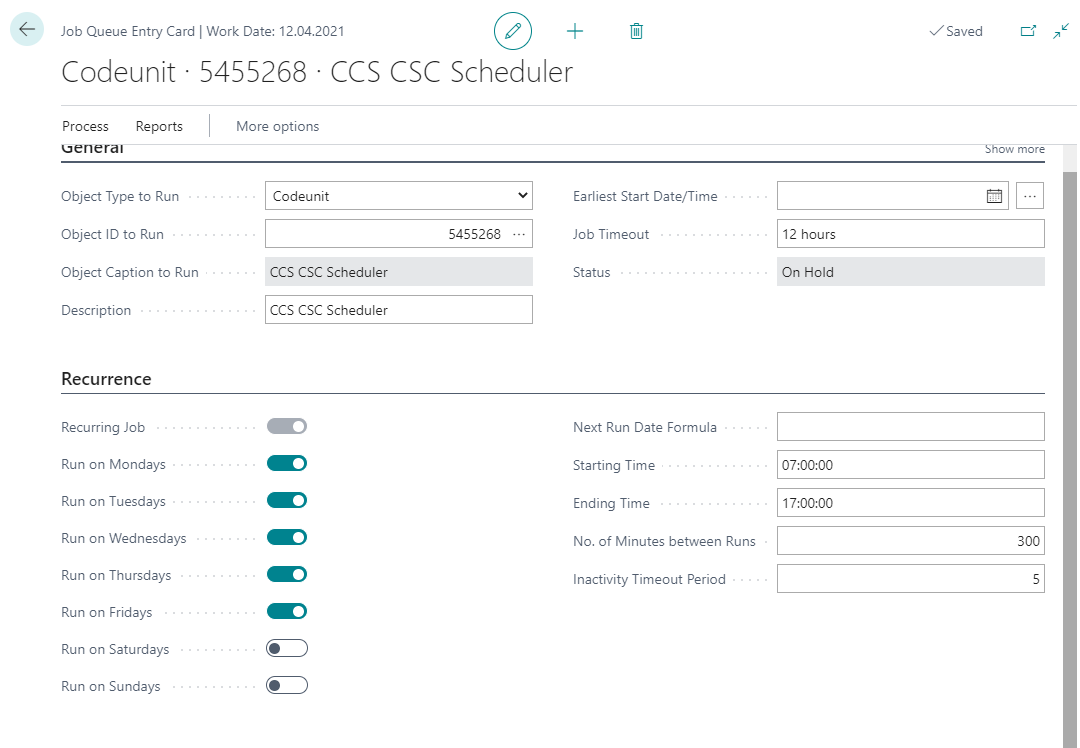
If the ParameterString PORTFOLIO is selected, only the portfolios are retrieved. In REPORTBOX, only the report box is called up. If the Parameter String is empty, both are retrieved.