Delivery Tolerances
Configure delivery tolerances in advance on the Delivery Tolerances - Logistics page.
Note
In COSMO Logistics, only underdelivery is supported. Overdelivery is not supported.
For details about where the tolerance is validated in outbound processing, see Outbound Warehouse Request Line List - Check Underdelivery.
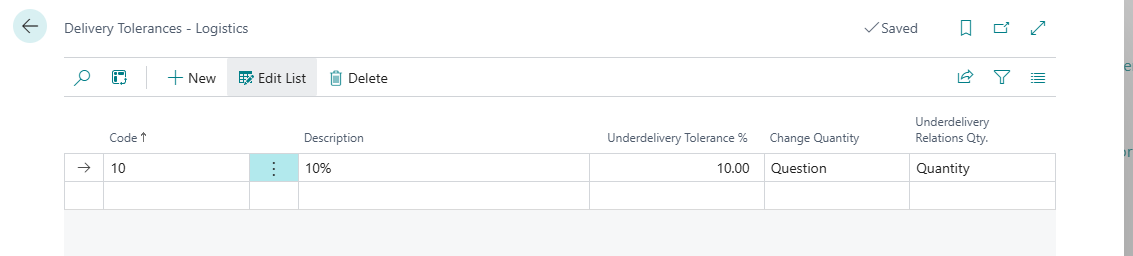
The calculation is based on the value in the Underdelivery Relations Qty. field, which can be set to one of the following options:
- Quantity
- Outstanding Quantity
The Underdelivery Tolerance % field specifies how much less than the ordered quantity can be shipped. For example, if the underdelivery tolerance is 10% and the ordered quantity is 100 meters, a shipment of 90 meters is still within tolerance.
The Change Quantity field controls how the Check Underdelivery process updates the quantity on the source document. The options are:
- Question: prompts the user before changing the quantity.
- Always: changes the quantity automatically without confirmation.
If the Change Quantity field is set to Question, the following confirmation is shown before the quantity is changed:
Do you want to reduce the quantity for Item number?
After confirmation, the following message is shown:
The quantity in the source document was changed.
On the Item Card, you can define a Sales Delivery Tolerance Code. This value is used as the default when creating a sales order, but can be changed on the document.