Warehouse Dimension Setup and Usage
This topic describes the setup and usage of warehouse dimensions in COSMO Logistics.
Prerequisites
The prerequisites for using warehouse dimensions are described in this section.
Logistics Warehouse Dimensions
The following information has to be defined for each dimension in the Logistics Warehouse Dimensions page.
| Field | Description |
|---|---|
| Code | Specifies the unique code of the logistics dimension. |
| Name | Specifies the name of the logistics dimension. |
| Default Priority | Specifies the priority of the logistics dimension. |
| Value Prioritization | Defines the value of prioritization. This serves as information. The options are: Priority, Value ascending, and *Value Descending. |
| Numeric Value | Specifies whether the logistics dimension is a numeric value. |
| Code Caption | Specifies the code of the logistics dimension in the selected language. |
| Filter Caption | Specifies the translated filter of the logistics in the selected language. |
| Description | Specifies the description of the logistic dimension. |
| Fixed Field Allocation | Specifies the link to another dimension (not used). |
Logistics Warehouse Dimension Values
On the Related menu, choose Whse. Dimension > Whse. Dimension Values to assign different values to each dimension and assign a priority to each value.
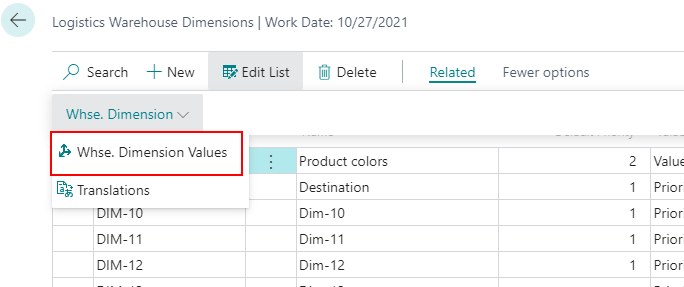
The fields in the Logistics Warehouse Dimension Values page are described in the following table.
| Field | Description |
|---|---|
| Code | Specifies the code of the value. |
| Name | Specifies a short description of the value. |
| Priority | Specifies the priority of the dimension value. |
| Global Whse. Dimension No. | Specifies the value of the global warehouse dimension defined in the Logistics Setup page. |
Logistics Whse. Dimension Translations
On the Related menu, choose Whse. Dimension > Translations to define the appropriate code for the selected language. Note that translations can also be made on the dimension values.
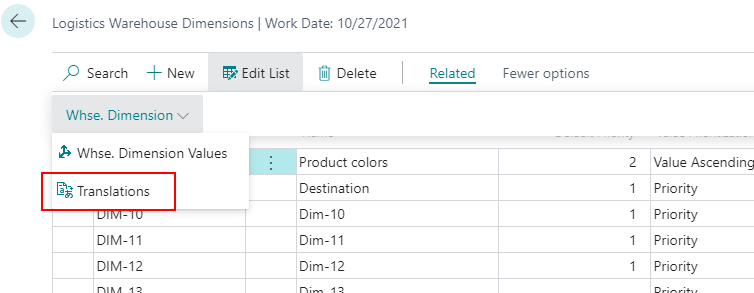
The fields in the Logistics Whse. Dimension Translations page are described in the following table.
| Field | Description |
|---|---|
| Language ID | Specifies the numerical ID of the given language. |
| Language Name | Specifies the name of the selected language. |
| Name | Specifies the name of the warehouse dimension on the selected language. |
| Code Caption | Specifies the caption of the warehouse dimension on the selected language, this will appear on the different lists and functions depending on the user setting. |
| Filter Caption | Specifies the value of the global warehouse dimension defined in the Logistics Setup page. |
Logistics Setup
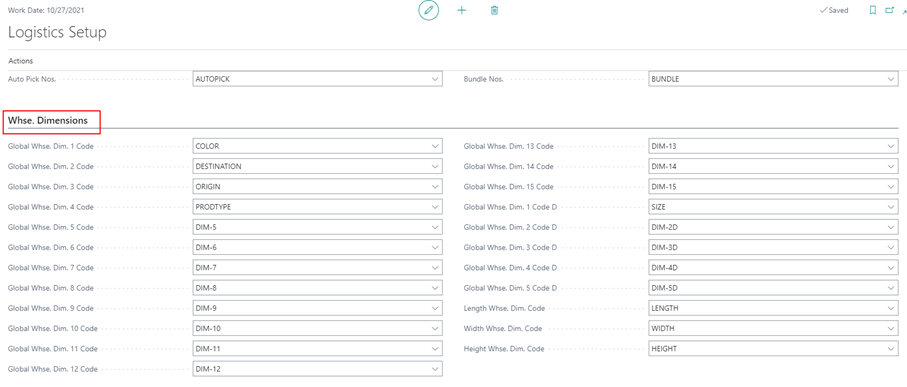
In the COSMO Logistics Setup page, you can define 15 general dimensions, five decimal dimensions, and three specific dimensions ("Length", "Width", and "Height"). Only the dimensions defined in the Logistics Setup page will appear on the different lists and functions.
Usage of Warehouse Dimensions
The warehouse dimensions can be assigned to the items. The function is available on the Item Card by choosing Warehouse > Whse. Dimension on the Related menu.
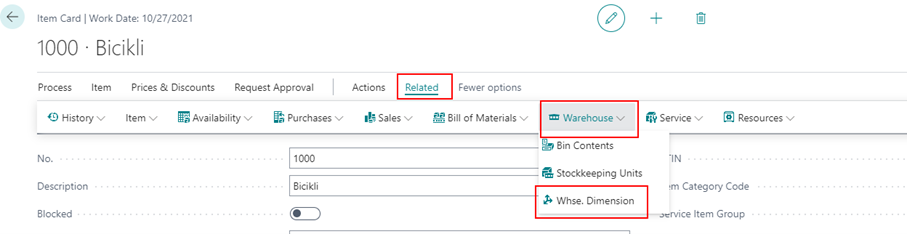
Each assigned dimension can have a value from the previously defined Dimension Value list.
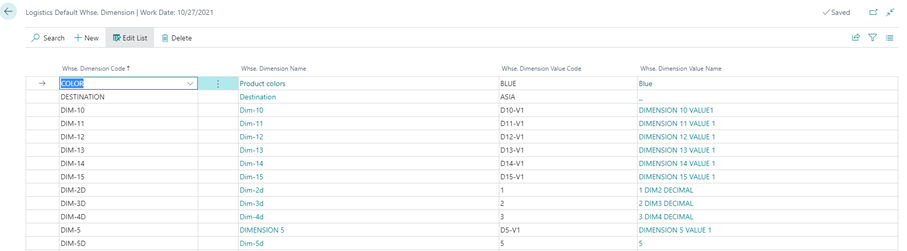
The dimensions are shown on various pages in COSMO Logistics:
On the inbound side:
- Logistics Inb. Whse. Req. Lines
- Warehouse Receipt Line
- Inbound Tour Line
- Put-Away – Warehouse Activity Line
- Posted Warehouse Receipt Line
On the outbound side:
- Logistics Outb. Whse. Req. Lines
- Outbound Tour Line
- Warehouse Shipment Line
- Logistics Warehouse Shipment Proposal
- Picking – Warehouse Activity Line
- Posted Warehouse Shipment Line
Feedback
Submit feedback for this page .