Create AL-Go Project
In GitHub (AL-Go) you can cluster multiple apps into projects. Projects are just subfolders within your repository with one or many AL app directories. All apps within a project are usually shipped together. When creating a new repository and app the AL app folders by default are within the root of a repository. This is called a single-project repository.
Note
Apps of different projects in the same repository can be dependent on each other as documented in this AL-Go Dependencies Workshop.
In the Alpaca VSC extension the projects are listed underneath the repository:
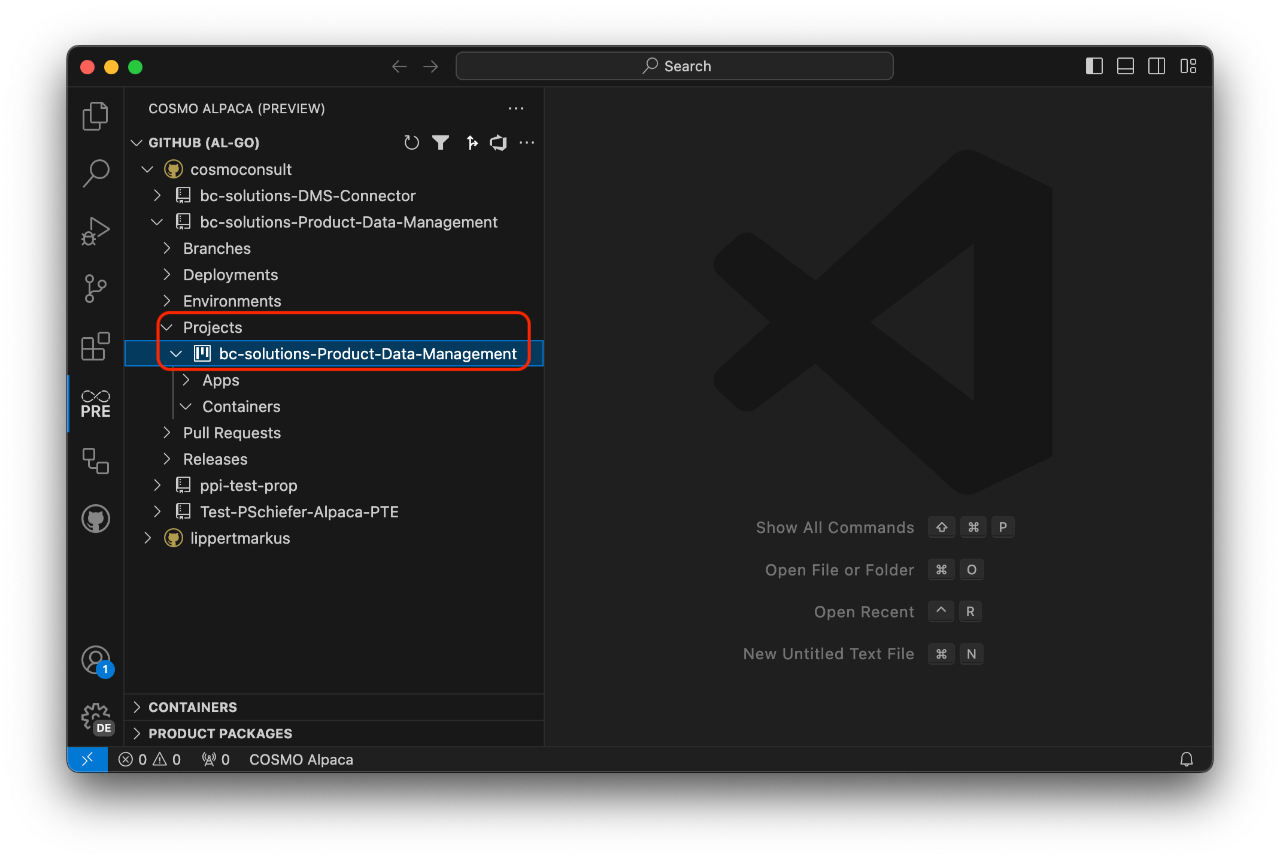
Single-project repositories only have one project listed there that by default has the same name as the repository.
You can create a new project by right-clicking on Projects and selecting Create AL-Go project or use the + action next to it. However, a popup will appear with the message: "You need to create at least one app to create a new project. Please follow the wizard to create the app."
This means you must first create an app and specify a new project name that doesn't exist yet. When creating a new app from within a project, that project will automatically be preselected.