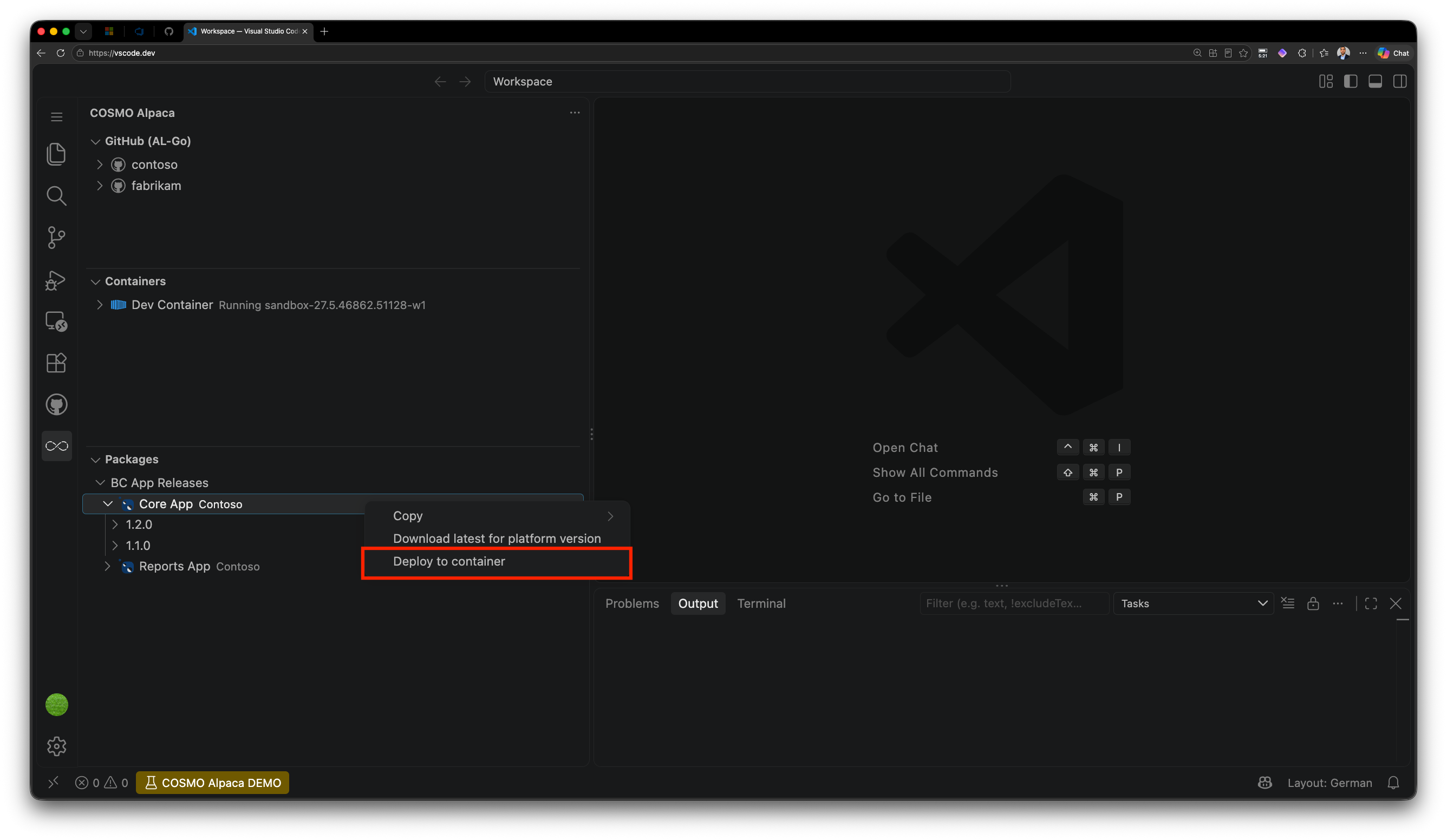
Deploy Artifact to Container
You can deploy a NuGet package or an Azure DevOps Artifact directly to a running container from the Packages View in the COSMO Alpaca extension.
Prerequisites
- The target container must be running and ready.
- You must have access to the feed that contains the artifact.
- The artifact must be compatible with the Business Central version in the target container.
Deploy the latest or a specific artifact version
- Open the Packages View in the COSMO Alpaca extension.
- Right-click the package or the specific version and select Deploy to container.
- Select the target container.
- Confirm the deployment.
If no specific version was selected, the latest available version is downloaded and installed.
The extension shows the deployment progress and notifies you when the deployment is complete.