Login and settings
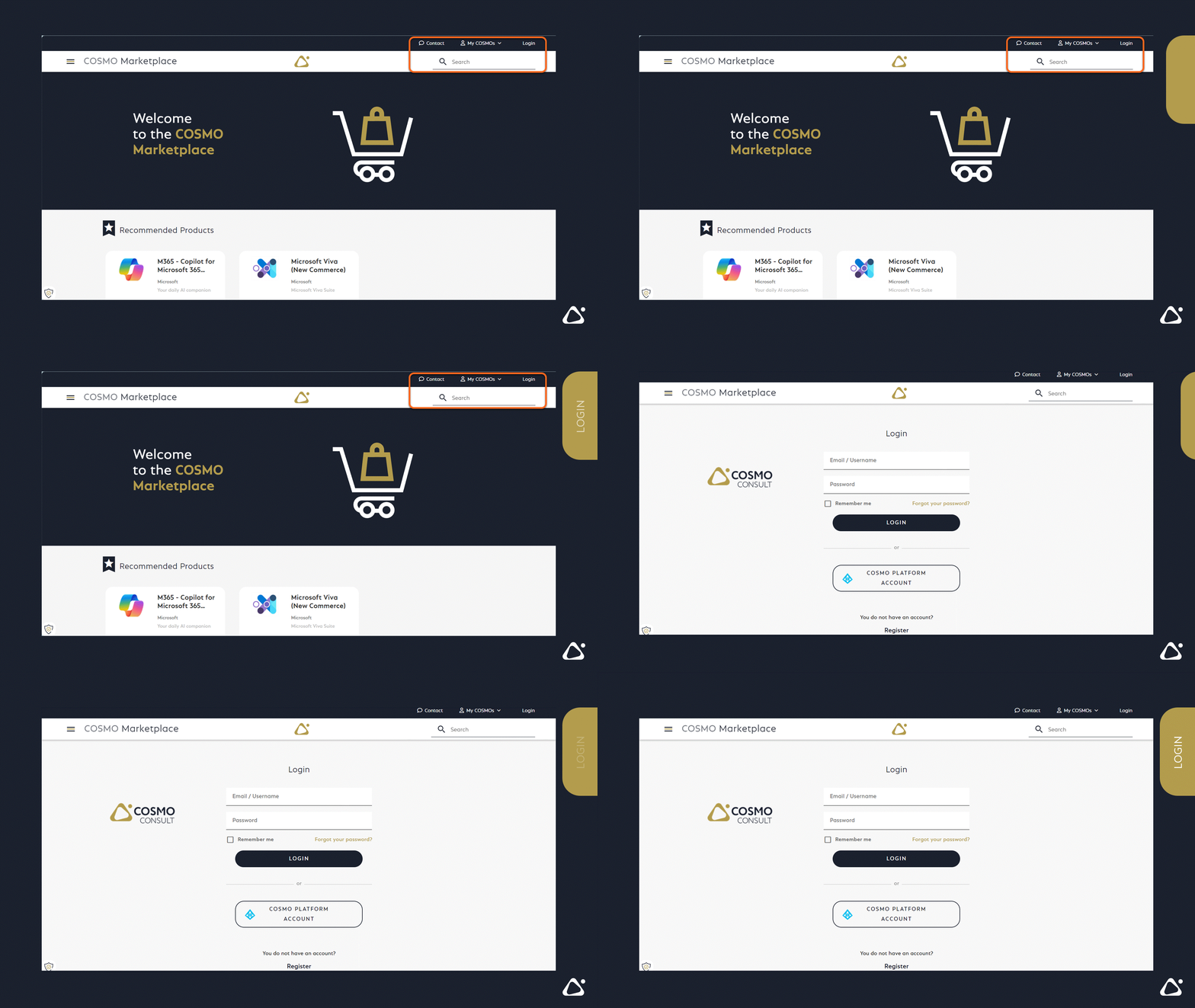
Your Login
There are 2 options to log into COSMO Marketplace:
- Login with your activated COSMO Marketplace Account
- or with your connected COSMO Platform Account (Connecting may need futher steps from COSMO CONSULT Team )
Your Settings
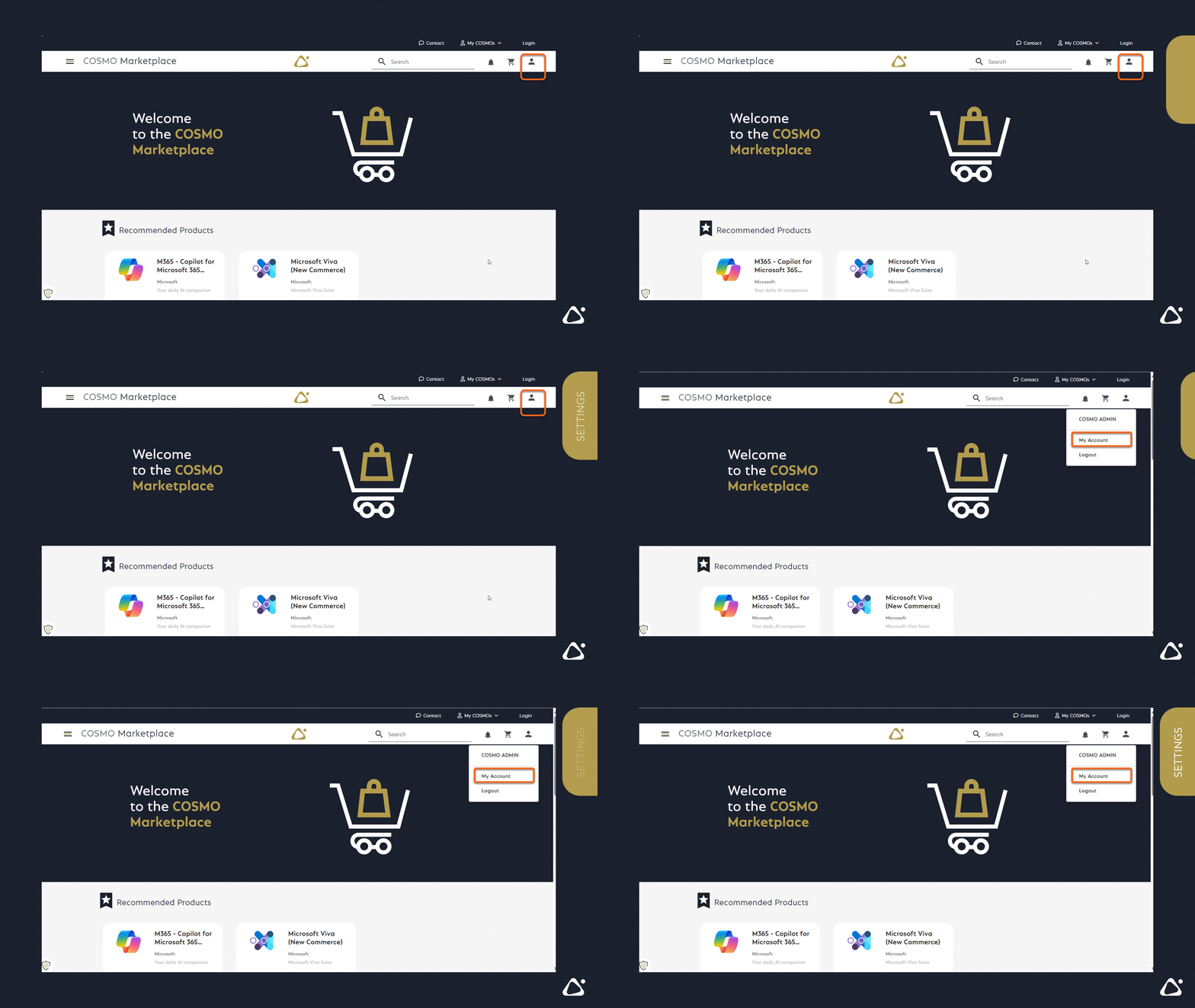
Your can update your User profile and your Login options in this menu
1. Navigate to settings
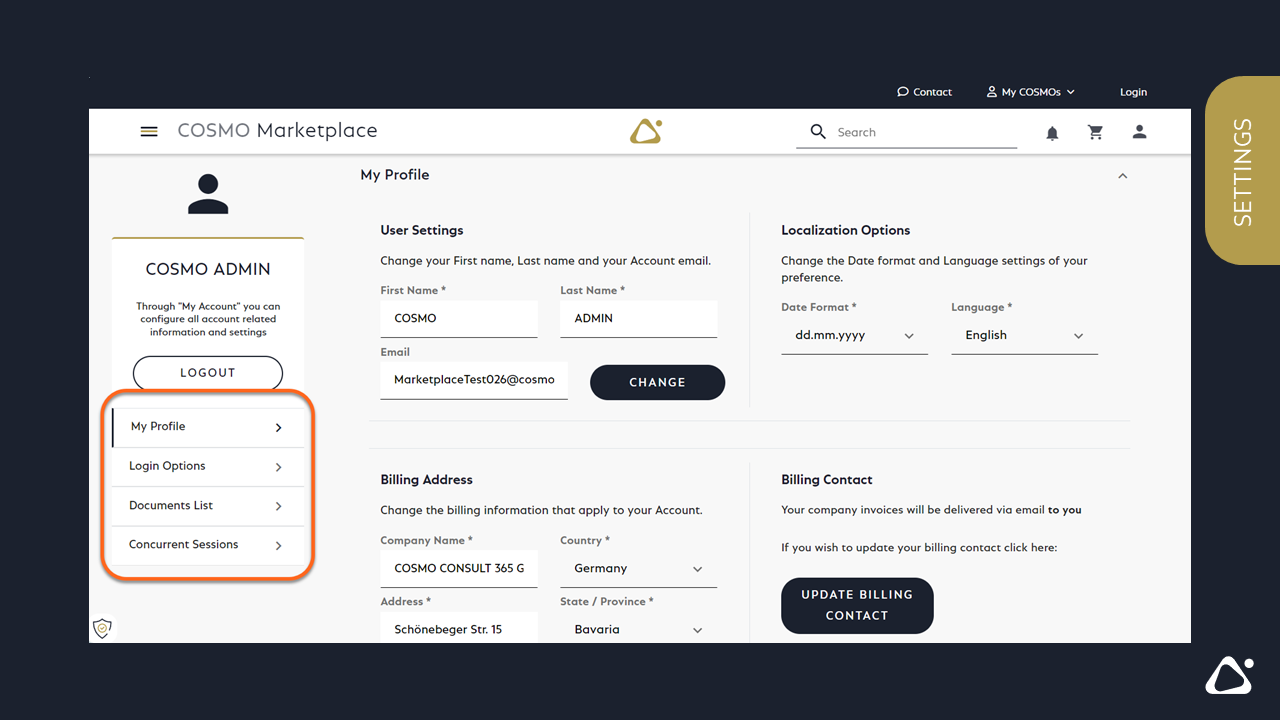
2. Update your User Profile if needed,
- E-Mail, change your E-Mail-address
- Localization Options, change your language setup
- Billing, your billing address
Note
The billing address comes from Microsoft and does not affect the actual billing address you provide. If you would like to change it, please contact your contact person or the contact on your invoice.
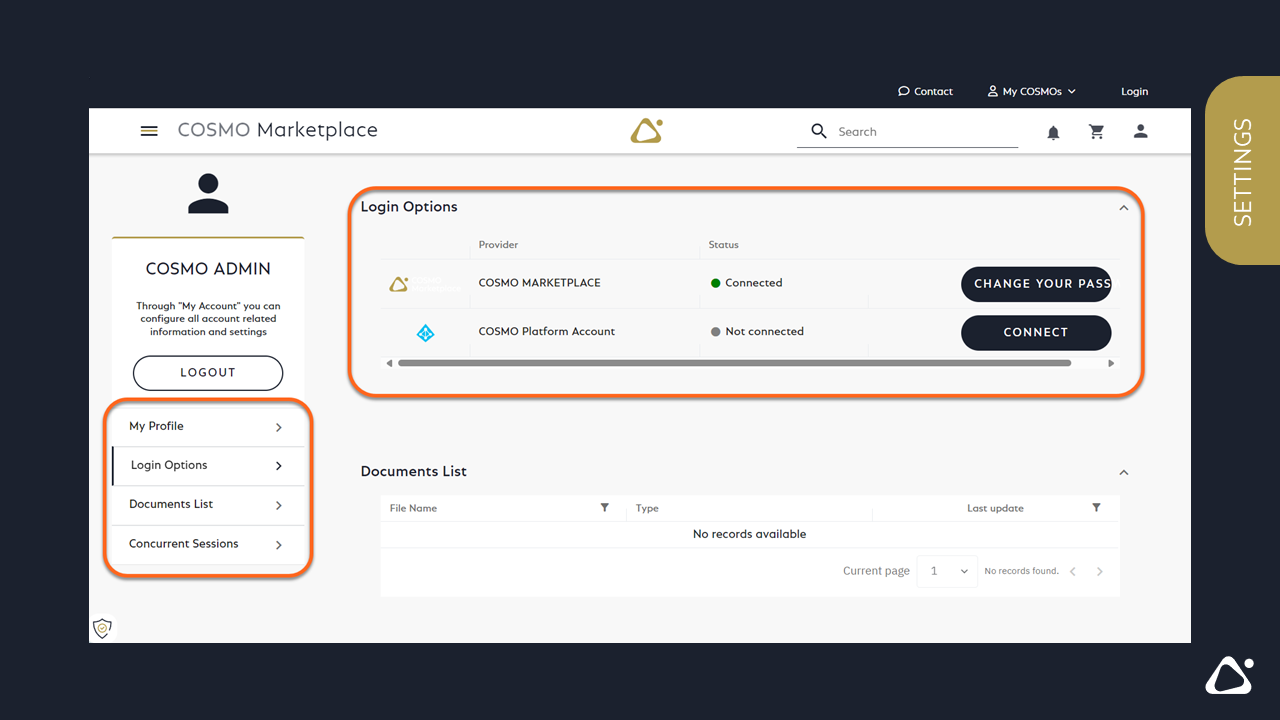
3. Update your Login Options
- change your Password
- connect your COSMO Platform Account