Open Test Processes
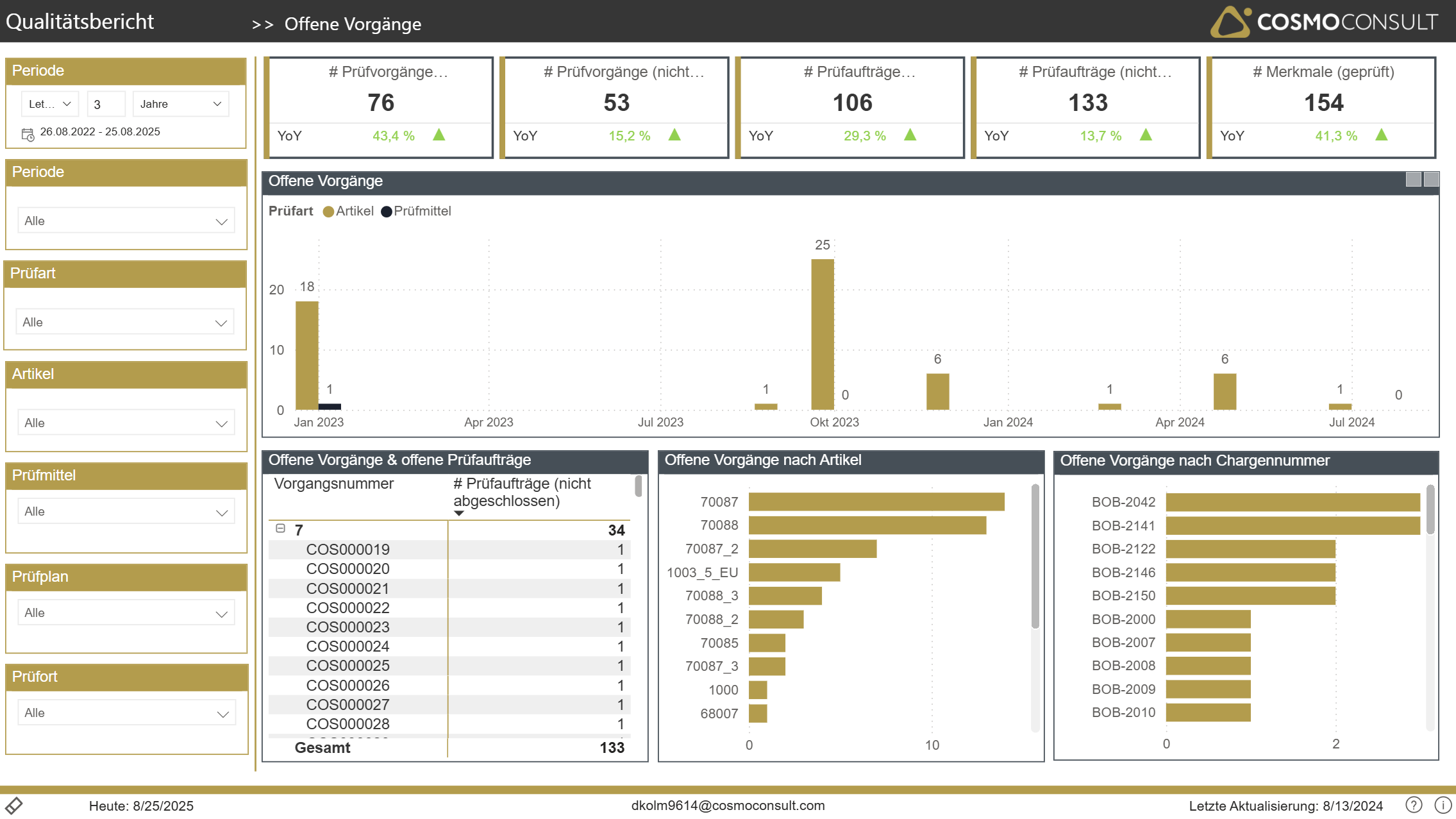
COSMO Analytics Quick Start Standard Report pages are usually divided into five sections:
- the header (black area)
- the footer (white area at the bottom)
- the filter section on the left hand side
- the KPI area on top of the visualization area
- the visualization core area
On the Open Test Processes page, you see a general summary of
- most important KPIs
- an overview of open test-processes by test-type over time
- details on test-orders grouped by test-process
- open processes by item and LotNo for statistic- and selection purposes
Based on this, a drill-through on test-order details can be used to dig into details on order level.