Sales Report – by Customer
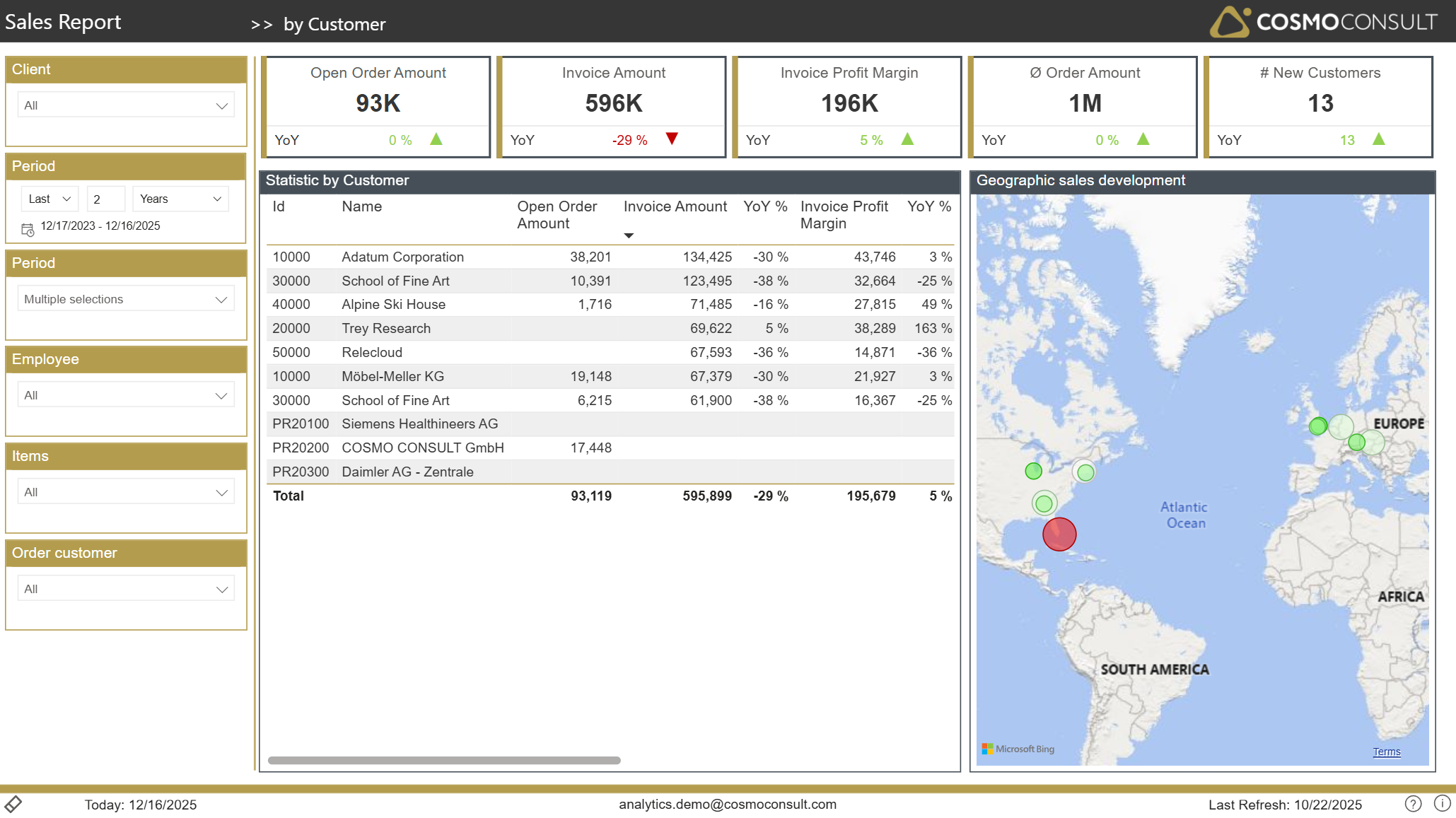
The by Customer page gives a 360° view on customer performance, combining sales, profit and regional information.
Overview
This page helps you:
- Rank customers by sales, margin and open order value
- Identify strategic key accounts and high-risk customers
- Understand how customer behaviour changes over time
- Visualize sales geographically to reveal regional patterns
Filters
Using the standard slicers (Client, Period, Employee, Items, Order Customer) you can:
- Restrict analysis to customers of specific salespeople or item portfolios
- Compare customer performance across time periods or legal entities
- Focus on customers related to particular products or campaigns
Key Visualizations
Customer Performance Table
A central table consolidates key indicators per customer:
- Open order value
- Invoiced sales and YoY development
- Profit contribution and margin trend
This supports:
- Account segmentation into high, medium and low value customers
- Identification of accounts with weakening revenue or profitability
- Prioritization of retention and upselling activities
- Identification of major backlogs and potential fulfillment issues
Geographic Sales Development
A map visualizes customers on a world map with markers reflecting performance indicators. With this you can:
- Recognize regional concentration of revenue and profit
- Spot areas with growth potential or declining business
- Plan territory responsibilities and regional campaigns
Drill-through capabilities
Right-clicking a customer in the performance table opens dedicated drill-through options:
- Customer documents – shows all orders and invoices for the selected customer.
- by Item – reopens the by Item page filtered to that customer, enabling per‑customer product analysis.
This drill-through workflow connects high-level customer KPIs with detailed transactional context.
Typical Use Cases
- Key Account Management – monitor the health of strategic accounts and prepare customer meetings with up-to-date numbers.
- Churn & Risk Detection – identify customers with declining sales or margins and trigger pro-active retention measures.
- Territory Planning – align sales territories with actual geographic distribution of revenue.
- Campaign Targeting – define target groups for marketing campaigns based on customer value and development.
- Lookup & Analysis – quickly access detailed customer documents and item-level sales data for ad-hoc investigations.