Using Variables
WIP
The Azure DevOps pipeline templates uses primary the settings from .devops/cosmo.json in the respective source branch of your repository. These variables can be overruled by:
Variables in your
CI Build Agent(Project-Scope) variable group (Azure DevOps Project | Pipelines | Library). Note: This variable group is included in each Business Central pipeline of the project, base on COSMO Templates.Variables in your pipeline
YAMLfile (Pipeline-Scope) (.devops/azure-pipeline.yml) in your app repository.Variables at your pipeline (Pipeline-Scope):
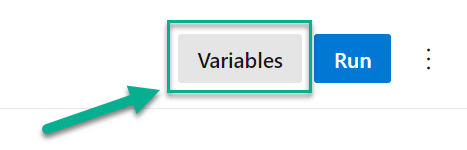
Variables at your pipeline are often used to change the pipeline behavior for a particular build. These variables should be removed immediately afterwards by:
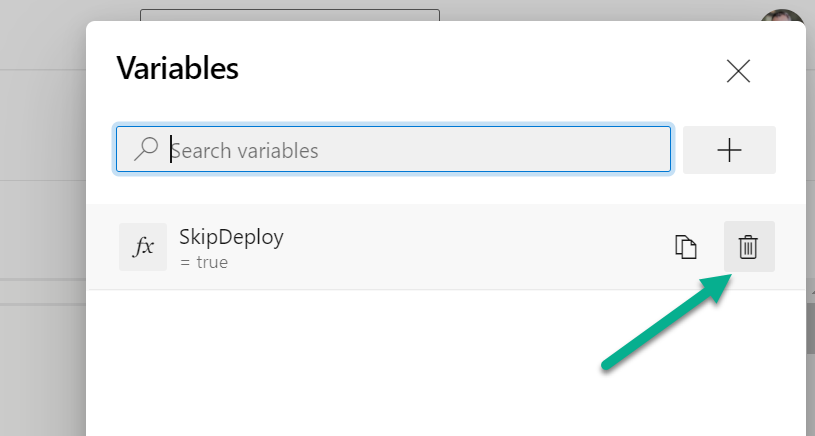
These variables can change the default behavior the build, test & deployment of your Apps:
- Change the BC Artifacts and Additional Setup
- Change the behavior of the Deployment Test
- Variables used during Compile App or for Hybrid Development
- Modify the Test App behavior
- Variables to Publish App, Sign App, and run the Deployment of your App
There are also some topics which might be relevant:
- Change the behavior of a Build Job
- Collection of Telemetry information
- Variables used during container setup for Container Application Insights
Container Environment
The variables to start/stop Build Agents at Container environment for the Build Pipeline are:
| Name | Default Value | Description |
|---|---|---|
| DockerSwarmURL | The URL for docker automation API. Note: Secret value is not supported |
|
| DockerSwarmVersion | 0.11 |
The current version of docker automation API. |
| Docker.KeepAlive | false | Keeps the container alive to afterwards connect to it |
| Docker.KeepAliveOnTestError | false | Keeps the container alive if there were test errors to afterwards connect to it |
| Docker.NoOfTailEntriesToRead | 5000 | If there's a huge log output in the Wait on Container start step, then it might be that it hangs up, but on the other site increasing this value decreases the performance. |
| Docker.WaitForContainerTimeoutInSec | 0 | It happened that retrieving the cosmo.json when creating a container hung up. Adding a timeout and trying it again might help. |
| Docker.AsyncMode | false | Enables/disables the Async mode for the container |
| Docker.PersistentServerFileCache | false | Enables/disables the Server File Cache persistence for the container |
Note: Ensure your used container environment support the right version.
BC Artifacts
The used BC-Artifacts are defined as Artifacts from cosmo.json. The used cosmo.json configuration is defined by variable BC-Artifacts direct in the pipeline yaml file (.devops/azure-pipeline.yml).
| Name | cosmo.json | Default Value | Description |
|---|---|---|---|
| BC-Artifacts | current |
The used BC-Artifact configuration version. | |
| sas-bcinsider | The this name to add a secret SaS-Token to access the MSFT BC-Insider Artifacts. The storage should be bcinsider. |
||
| sas-cosmoartifacts | The this name to add a secret SaS-Token to access the COSMO Artifacts. The storage should be cosmoartifacts. |
Additional Setup
Artifacts from cosmo.json are downloaded and installed during container setup. Here are some variables to overrule the default behavior:
| Name | cosmo.json | Default Value | Description |
|---|---|---|---|
| AZURE-DEVOPS-PAT | $(System.AccessToken) |
The Personal Access Token with READ permission to Artifact Feed, used for Artifact Download from Artifact-Feed. Furthermore, the PAT is also used for authentication at the service to add/remove Build Agents. | |
| ImportArtifacts.AppExcludeExpr | .*Test_.*|.*Tests_.* |
The regex expression that is used to exclude apps from being published during the Import Artifacts step in the pipeline. | |
| ImportArtifacts.AppImportSyncMode | appImportSyncMode |
The default (global) parameter for Mode (NavAppSyncMode) for Sync-NavApp when an App-Artifact is imported by AdditionalSetup during Docker Start tasks. Values are: Add, ForceSync, ... |
|
| ImportArtifacts.AppImportScope | appImportScope |
The default (global) parameter for Scope (NavAppScope) for Publish-NavApp when an App-Artifact is imported by AdditionalSetup during Docker Start tasks.Values are: Global or Tenant. |
|
| ImportArtifacts.SuppressWarnings | appImportSuppressWarnings |
The match string to suppress warnings during additional setup and log the message as an information. | |
| ImportArtifacts.SuppressErrors | appImportSuppressErrors |
The match string to suppress errors during additional setup and log the message as an information. |
Note:
Suppress warning or error uses PowerShell to identify a suppressed message from logging. You can evaluate your variable content by modifying and using this PowerSell snippet: "The log message" -match "$suppressWarnings".
Per example the variable ImportArtifacts.SuppressWarnings with value license is not compatible|The package has been built on a server with a different suppress these warnings:
- This license is not compatible with this version of Business Central.
- The package has been built on a server with a different version than the current server version.
Deployment Test
The deployment test were introduced to detect breaking changes in pull requests. In case you need to change this behavior, add these variable(s) temporary as Pipeline Variable:
| Name | cosmo.json | Default Value | Description |
|---|---|---|---|
| DownloadArtifact.SkipLatest | false |
true to skip download and install of the last D365BC artifact from target branch |
Note: Please do not forget to remove these temporary variable(s) after successful pull request!
Remove Pipeline Variable by:
Compile App
| Name | cosmo.json | Default Value | Description |
|---|---|---|---|
| Compile.CompilerVsixVersion | compilerVsixVersion |
container |
Version of the AL language VSC Extension whose AL compiler is to be used (container, latest, prerelease, <a>[.<b>][.<c>][.<d>]) |
| CodeCops | codeCops |
Array of the AL Analyzer(s) used for compiling. (e.g. [ "CodeCop", "UICop", "LinterCop", "<url>", "<path>" ]) |
|
| Compile.FailOnWarning | false |
true to force builds without warnings |
|
| Compile.CreateTranslations | createTranslations |
false |
true to enable generation of translation files (.xlf) based on .g.xlf using xliff-sync |
| Compile.TranslationLanguages | translationLanguages |
[ "de-DE" ] |
Array of language tags for which the translation files are to be generated (e.g. [ "de-DE", "de-AT" ]) |
| Compile.TestTranslations | testTranslations |
false |
true to enable tests of the generated translation files (.xlf) for missing translations and additional rules using xliff-sync |
| Compile.TestTranslationRules | testTranslationRules |
Array of the additional rules for which the generated translations files should be tested (All, ConsecutiveSpacesConsistent, ConsecutiveSpacesExist, OptionMemberCount, OptionLeadingSpaces, Placeholders, PlaceholdersDevNote) |
Test App
| Name | cosmo.json | Default Value | Description |
|---|---|---|---|
| Test.ImportAction | testImportAction |
overwrite |
(Only C/AL Hybrid) Specifies if the Testtoolkit ist overwriten during the run |
| Test.TestFilter | 50000..99000 |
Specify the used test Codeunit IDs | |
| Test.TestSuite | testSuite |
DEFAULT |
Allow to set the test suite that have to be run during the test process |
| Test.FailAction | testFailAction |
Warning |
Allow to set the test fail action of the test process. Warning : your pipeline will only show warning on failed test, Error : If any of your test failed, the entire pipeline will failed. |
| Test.FailPublishOnFailedTest | testFailPublishOnFailedTest |
true |
Fail the task Publish Test Results if there are any test failures. Check this option to fail the task if test failures are detected in the result files. |
| Test.RunAlways | false |
true to run tests regardless of the build reason |
Publish App
These variable can change the Publish App behavior of your pipeline:
| Name | cosmo.json | Default Value | Description |
|---|---|---|---|
| Publish.Scope | Global |
The scope for publishing all apps: Global or Tenant |
|
| Publish.Tenant | default |
The tenant to publish the app. | |
| CustomerLicense | customerLicense |
The customer specific license (ignored, when empty) | |
| CustomerLicenseScope | customerLicenseScope |
NavDatabase |
The license scope for customer license (Default, NavDatabase, Master, Tenant). |
Deployment
The deployment is handled by default in a build on the master or release (e.g. releases/r1) branch. To change the behavior of deployment use:
| Name | cosmo.json | Default Value | Description |
|---|---|---|---|
| SkipDeploy | false |
true to skip the artifact deployment to the Artifact Store |
Artifact Feed
The COSMO pipeline templates uses the Universal Package artifact feed in Azure DevOps. You can overrule the default information used for Artifact Upload by setup these variables:
| Name | cosmo.json | Default Value | Description |
|---|---|---|---|
| Artifacts.Scope | artifactsScope |
project |
The scope of the artifact feed. (organization or project) |
| Artifacts.Feed | artifactsFeed |
$(System.TeamProject) project name |
The name of the artifact feed. |
| Artifacts.OrgFeed | The id of the organization scoped feed to publish artifacts to organization feeds. | ||
| ArtifactName.App | Dynamics 365 |
The name of the App-Artifact produced | |
| ArtifactName.Sources | The name of the Sources-Artifact, when source code should be published as Artifact. If empty, than no sources are published. |
Note: This might be necessary in manually projects when the naming convention does not fit to our COSMO defaults.
Publish Artifact Information
Note: If you want to disable this feature for DSGVO reasons, add DisablePublishArtifactInformation = true at Azure DevOps project level to your CI Build Agent variable group!
| Name | Default Value | Description |
|---|---|---|
| DisablePublishArtifactInformation | true to disable the pipeline from publishing the artifact information to a central endpoint. |
Sign App
You can overrule the variables, used during Signing the App by using:
| Name | cosmo.json | Default Value | Description |
|---|---|---|---|
| SignApp.AppFilter | *.app |
(Only C/AL Hybrid) Specifies if the Testtoolkit ist overwriten during the run | |
| SignApp.PfxPath | Path or Url of the PFX file. Recommended to use Azure-KeyVault secrets & Azure Blob Storage e.g. https://azure.blob.com/myFile.pfx?sign=ada23... |
||
| SignApp.TimeStampUri | http://timestamp.comodoca.com/authenticode |
Uri of the timestamp service used during signing. | |
| SignApp.PfxPassword | Password for the PFX File. Recommended to use Azure-KeyVault secrets. |
Other Variables
Build Job
Use this variables, when your build pipeline fails because the job limit is reached:
| Name | Default Value | Description |
|---|---|---|
| Build.TimeoutInMinutes | 60 |
Build job timeout in minutes. Consider limitations. |
Telemetry
The monitoring of our pipelines uses Application Insights. We collect information about the organization, project, BC-version, errors, and we measure the durations of tasks to improve our pipeline templates continuously.
Note: If you want to disable the monitoring for DSGVO reasons, add DisableAppInsights = true at Azure DevOps project level to your CI Build Agent variable group!
| Name | Default Value | Description |
|---|---|---|
| DisableAppInsights | true to disable the pipeline from COSMO monitoring. |
|
| PPI_MONITORING_PAT | Add a Personal Access Token with READ permission to your Azure DevOps to help PPI to get telemetry information from your pipeline / project |
Container Application Insights
Note: BC15+ required
| Name | Default Value | Description |
|---|---|---|
| AppInsights.InstrumentationKey | InstrumentationKey to monitor your test with AppInsights | |
| AppInsights.SqlLongRunningThreshold | 100 |
Long Running Query threshold |
Overruling by COSMO.json
When the configuration file <App-Repo>/.devops/cosmo.json exists, the following variables are always overruled during the pipeline run:
| Name | Description |
|---|---|
| LicenseFile | URL to the license file. Value like $(dbclic-bc-de) with reference to a secret. |
| CustomerLicense | URL to the customer specific license file. Value like $(customer-lic) with reference to a secret variable in a referenced variable groups is possible. |
| Docker.Parameters | Parameters for the Build-Container |
| Artifacts.Feed | Define the used artifact feed during Publish Artifacts. The value is either <project-name>/>feed-name> (Project-Scoped-Feed) or <feed-name> (organization-Scoped-Feed) |
More information about cosmo.json ar here.
Pipeline Setup Hooks
You can add optional pipeline tasks to the main yaml-file (.devops/azure-pipeline.yml) of your project. These added tasks will be included in the generated pipeline and placed after task Setup Variables and before task Create Docker Container.
Follow this example to add your Setup Build / Deployment tasks to .devops/azure-pipeline.yml:
# ...
# --- Parameters to Extend the pipeline template -------------------------------------------------------------------------------------------------------
extends:
  template:             ${{ format('template.ci-build.pipeline.yaml{0}',       variables['template.repo.suffix']) }}
  parameters:
    BuildJobs:          ${{ format('template.jobs.build{0}.yaml',              variables['template.suffix']) }}
    DeploymentTestJobs: ${{ format('template.jobs.test-deployment{0}.yaml',    variables['template.suffix']) }}
    AgentPool:          ${{ variables['AgentPool'] }}
    StartStopAgentVM:   ${{ variables['StartStopAgentVM'] }}
    SkipTests:          ${{ variables['SkipTests'] }}
    DockerConnection:   ${{ variables['DockerConnection'] }}

    ### Additional Tasks for 'Setup Build':
    OnSetupBuildTasks:
      - script: |
          echo "On Setup Build"
        displayName: On Setup Build

    ### Additional Tasks for 'Setup Deployment':
    OnSetupDeploymentTasks:
      - script: |
          echo "On Setup Deployment"
        displayName: On Setup Deployment

    # ...