Search Results for

    Show / Hide Table of Contents

    Create Project

    • GitHub (AL-Go)
    • Azure DevOps

    In GitHub (AL-Go) you can cluster multiple apps into projects. Projects are just subfolders within your repository with one or many AL app directories. All apps within a project are usually shipped together. When creating a new repository and app the AL app folders by default are within the root of a repository. This is called a single-project repository.

    In the Alpaca VSC extension the projects are listed underneath the repository:
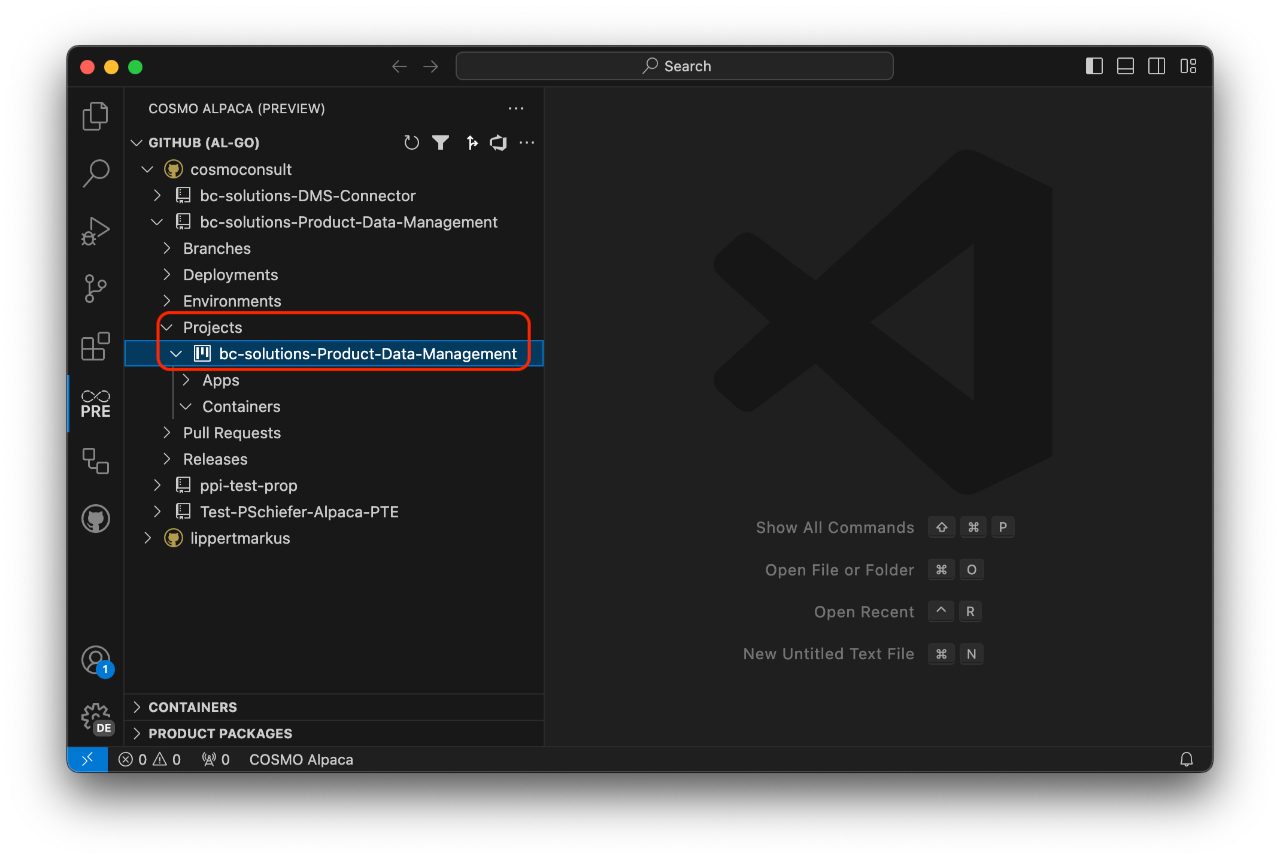
    Extension GitHub Projects

    Single-project repositories only have one project listed there that by default has the same name as the repository.

    When creating a new app you can specify the project your app should belong to. This is the only way to create a new project - by creating a new app while specifying a project name that isn't existing yet.
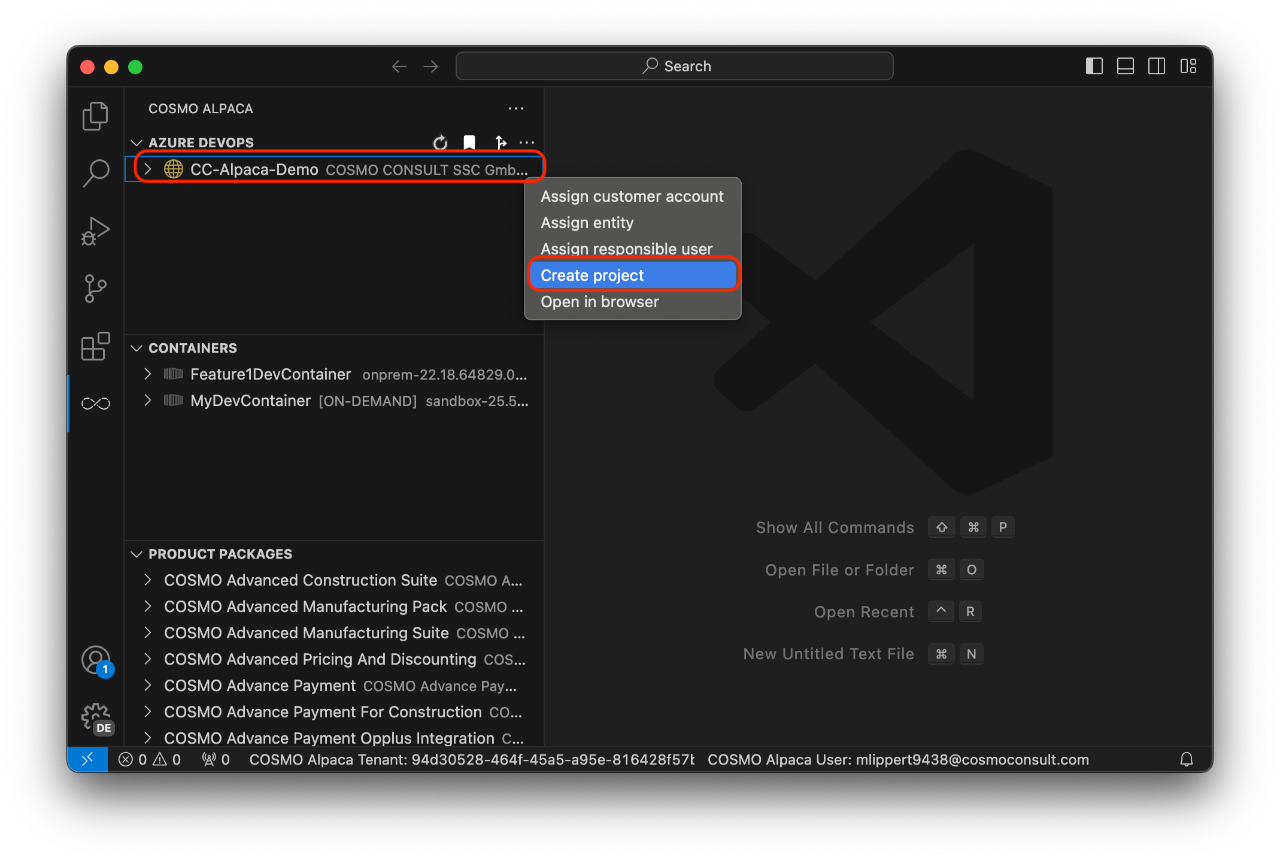
    When working with Azure DevOps, you need an organization (see create org) and a project. To create a project, you need to take the following steps:

    1. Right-click on the organization where you want to create a project and select Create project
    2. Enter a name for the new project

    Extension Azure DevOps Create Project

    With that, the new project will be created. It has all the basic setup and preparation needed to start working on a Business Central project including e.g. a repository for the CI/CD automation. In the background the following extensions will be installed in the Organization:

    • Code Search
    • Pull Request Merge Conflict Extension
    • Generic Connection Viewer
    • AL Language Syntax Highlights

    You're now ready to create a repository with an AL app.

    Note

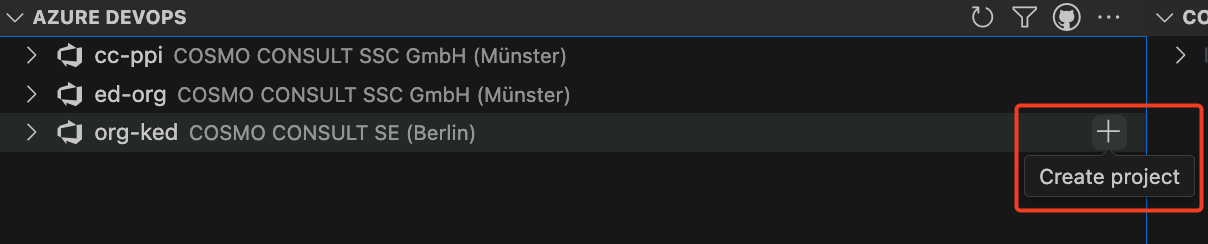
    To add a new project in the preview Alpaca extension, use the plus (+) icon next to the organization name.

    Organization options

    In This Article
    Back to top 2025 © COSMO CONSULT - Data protection - Imprint