By Item
The By Item page provides an item-centric view of inventory management, enabling detailed analysis of stock levels, movements, and performance for each product in your portfolio.
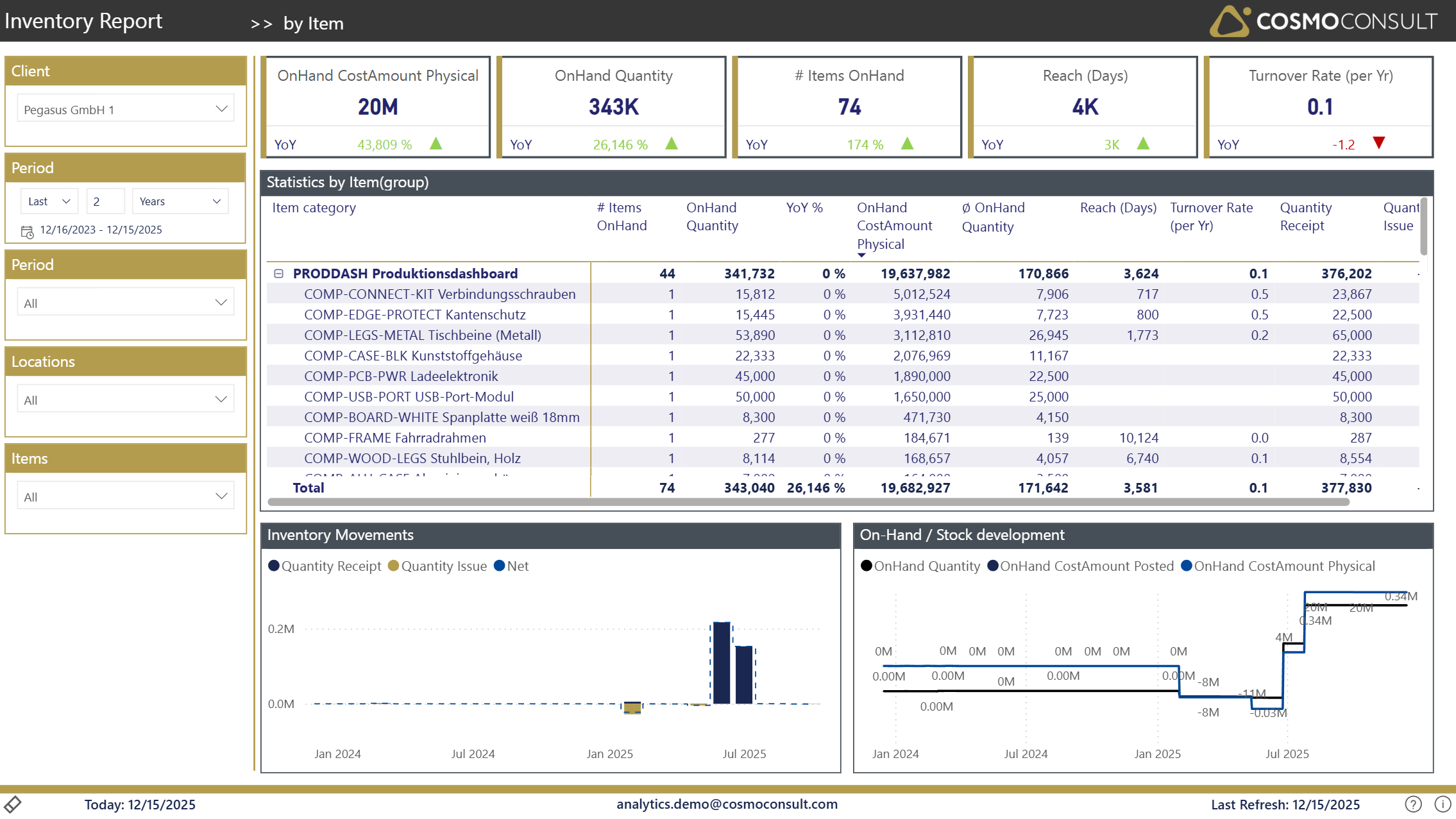
Overview
This page helps you understand item-level inventory performance and behavior, making it easier to:
- Analyze individual item performance and trends
- Identify slow-moving and fast-moving items
- Monitor item-specific inventory costs and valuation
- Track item availability and stock coverage
- Make data-driven decisions about product portfolio management
Filters
Standard filters available for detailed item analysis:
- Client Selection: Choose the client for multi-tenant scenarios
- Period Selection: Set the date range for your analysis
- Location: Filter by specific warehouses or distribution centers
- Item Selection: Focus on specific items for detailed analysis
- Item (Category): Analyze specific product categories or products
Key Visualizations
Item Summary Table
The comprehensive table displays key metrics for each item:
- Item Number & Description: Product identification
- OnHand Quantity: Current stock level for each item
- OnHand Cost Amount: Current inventory value per item
- Quantity Issue: Items issued/sold in the selected period
- Quantity Receipt: Items received/produced in the selected period
- Reach (Days): Days of stock coverage at current usage rate
- Turnover Rate: How quickly the item turns over
Item Performance Indicators
Key metrics for item analysis:
- Stock Status: Current availability and stock levels
- Movement Analysis: Issue and receipt patterns
- Efficiency Metrics: Turnover rates and inventory reach
- Valuation: Cost amounts and pricing information
Interactive Capabilities
- Multi-level Sorting: Sort by any metric to identify outliers
- Dynamic Filtering: Click on items to drill into details
- Cross-filtering: Select categories to filter item lists
- Tooltips: Hover for additional item details and context
- Export Capability: Export item lists for further analysis
Typical Use Cases
Slow-Mover Identification
Identify items with low turnover rates or excessive stock levels that may require clearance actions or reduced ordering.
Fast-Mover Monitoring
Track high-velocity items to ensure adequate stock levels and avoid stockouts of critical products.
Inventory Valuation Analysis
Analyze which items tie up the most working capital and evaluate opportunities for inventory reduction.
Product Portfolio Review
Use turnover and profitability metrics to make decisions about product assortment and discontinuation.