Master Data
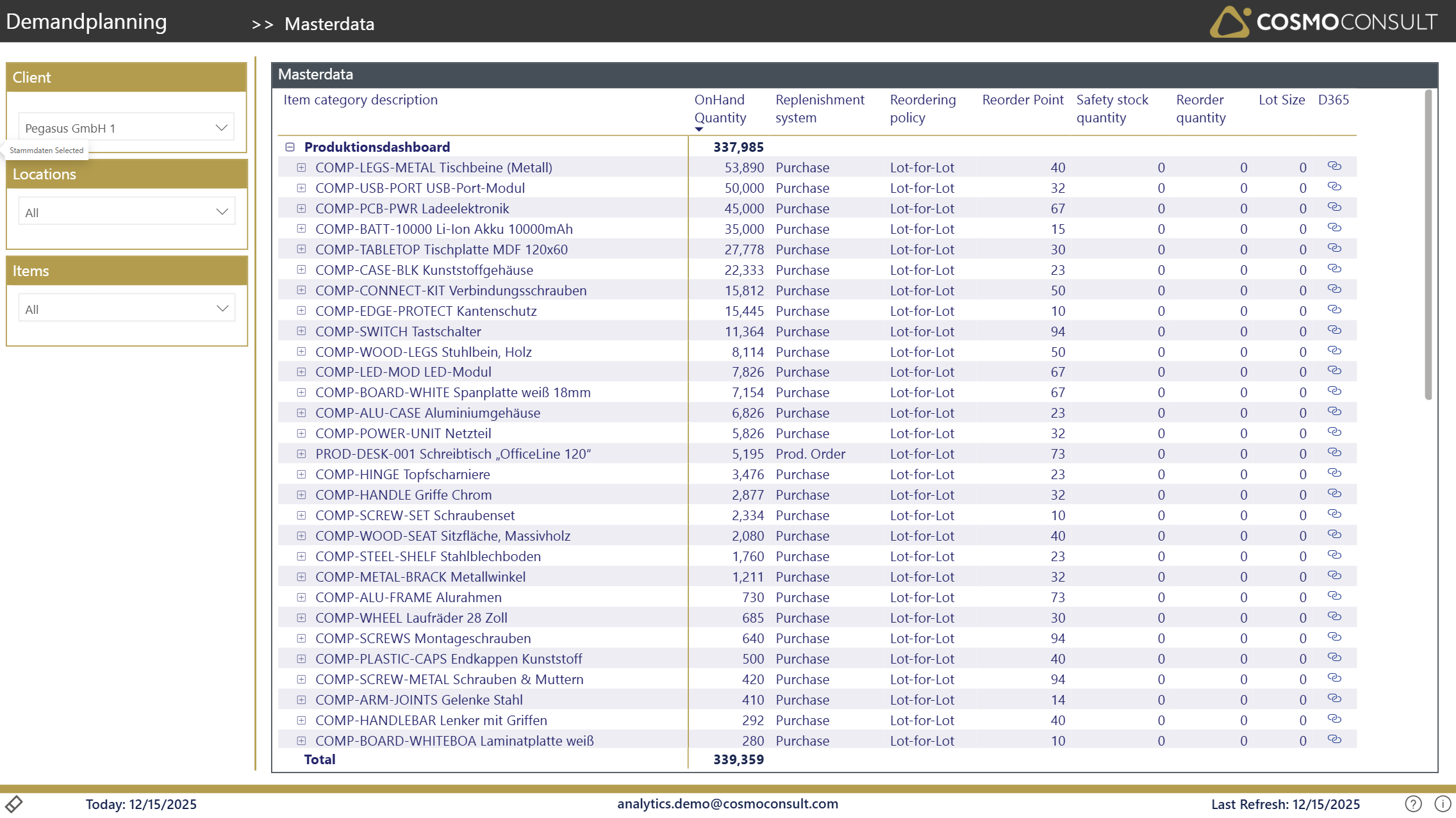
The Master Data page displays all current replenishment parameters for items and locations (SKUs), providing a comprehensive overview for maintaining and validating inventory control settings.
Overview
This page helps you:
- Review and validate SKU parameters across items and locations
- Identify items with missing or incomplete parameter settings
- Compare parameter settings across similar items or locations
- Access SKU cards in Business Central for parameter updates
- Ensure consistent replenishment policies across your inventory
Filters
Standard filters available for master data review:
- Client Selection: Choose the client for multi-tenant scenarios
- Location: Filter by specific warehouses or distribution centers
- Item Selection: Focus on specific items
Key Visualizations
SKU Parameters Table
Comprehensive table displaying all maintained replenishment parameters:
Item Identification:
- Item Category: Product grouping
- Item No. & Description: Product identification
- Location Code: Warehouse or site
- OnHand Quantity: Current Stock level
Reorder Parameters:
Replenishment System: How the item is procured (Purchase, Prod. Order, Transfer, Assembly)
Reorder Point: When to trigger replenishment
Safety Stock Quantity: Minimum stock buffer
Reorder Quantity: Standard order quantity
Lot Size: Order quantity determination method
D365 Link: URL to open the Item/SKU Card in Business Central
Use Cases
Parameter Validation
Review SKU parameters to ensure they are appropriate for current demand patterns and lead times.
Gap Analysis
Identify items and locations that lack proper SKU parameter setup, especially for critical items.
Standardization
Compare parameters across similar items to ensure consistent replenishment policies.
Bulk Parameter Review
Export parameters for analysis and bulk updates through Excel or RapidStart.
Note
Changes to SKU parameters should be made in Business Central and will be reflected in the report after the next data refresh.