A5) Repair Quote Worksheet (Refinement During Analysis)
The purpose of this section is to define the intended repair in the Repair Quote Worksheet during the analysis phase (Construction Order → Production Order).
The Repair Quote Worksheet is only available for the Service Line with Spare Part Action (DM) = Analysis Production Order (the analysis item / cost collector).
Note
When you open the Repair Quote Worksheet for an eligible repair line, the system determines the appropriate repair analysis quote context (existing quote or new quote) and then opens the corresponding worksheet. Quote assignment and lookup are managed at service-line level using RMA No. and Repair Item Line No., enabling consistent tracking of multiple repair processes within a single service order.
Recommended Procedure
- Open the Service Item Worksheet and select the Service Line with Spare Part Action (DM) = Analysis Production Order.
- In the Lines FastTab, choose Line > Repair Quote Worksheet.
- Add planned repair components, resources, and cost lines; assign correct Spare Part Action (DM) (Component Replaced / Installed / Repaired).
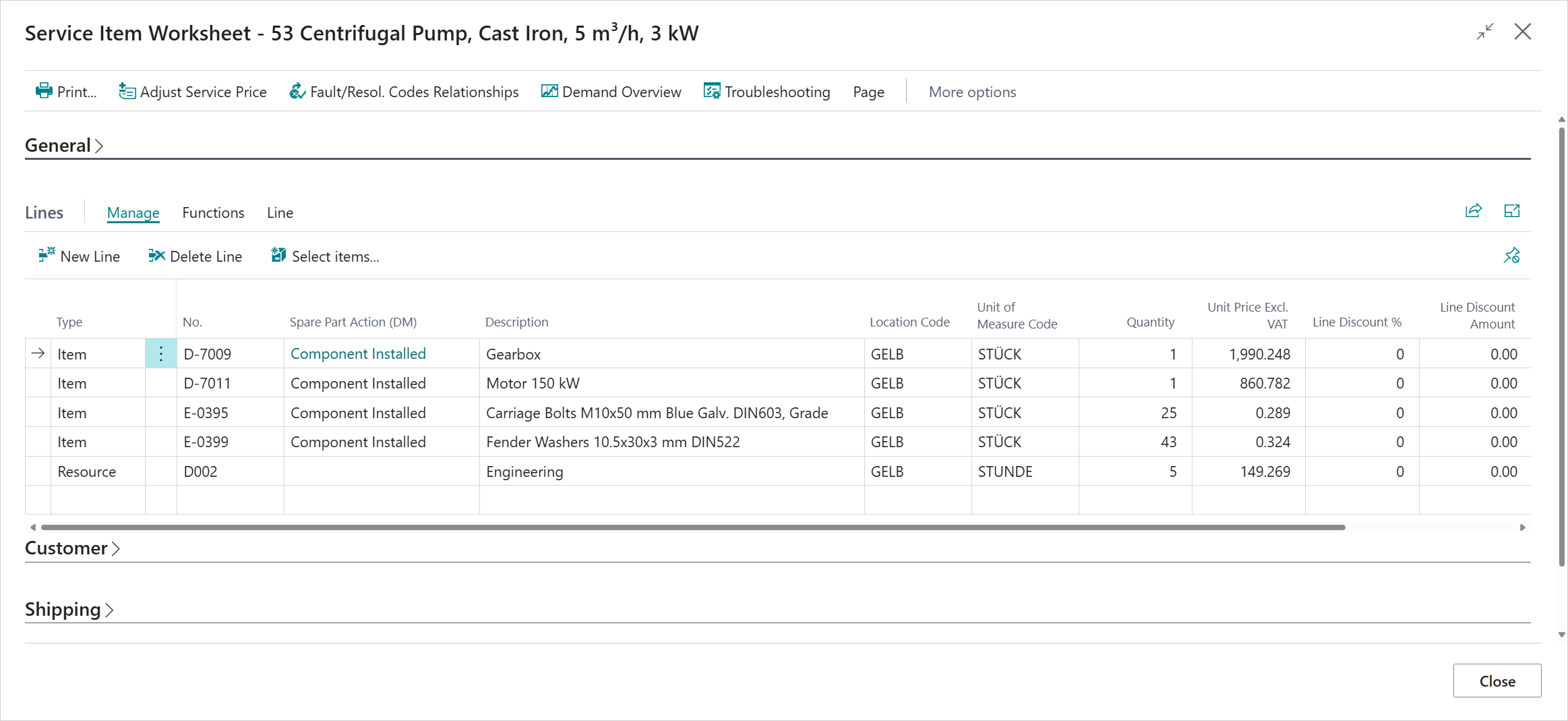
- If no repair is required after analysis:
- Close the worksheet and (optionally) mark/clear the background Service Quote;
- Ship the original item (invoice the analysis line if billable) and skip the following repair.
- If repair is required:
- Finalize the worksheet (quantities, component actions, labor, costs).
- Ensure Spare Part Actions (DM) reflect the intended execution (Replaced / Installed / Repaired).
- Update prices as needed so the background Service Quote now represents the concrete repair scope.
- Send the refined Repair Quotation (Print/Send) to the customer with analysis findings (photos / report). After customer approval (record status / approval note), proceed with converting the quote (next step) before creating the final Construction Order.
View Service Line Details
The Service Line Details FactBox in the Service Item Worksheet provides quick access to related information and actions for the selected line, including availability, substitutions, attributes (DM), replenishment system, reordering policy, checklists, construction inquiries and orders, and production orders.
For more information, see Service Line Details FactBox.
Previous / Next Step
A4) Perform Analysis (Construction and Production Order)
A6) Convert Refined Repair Quote into Existing Service Order (No New Order)
Feedback
Submit feedback for this page .