Production Variants
The production variant allows you to create different production structures for one item depending on the following criteria:
- Multiple locations, recipes, and routings for one item
- Variants
- Quantity (minimum/maximum lot size)
- Unit of Measure
- Location
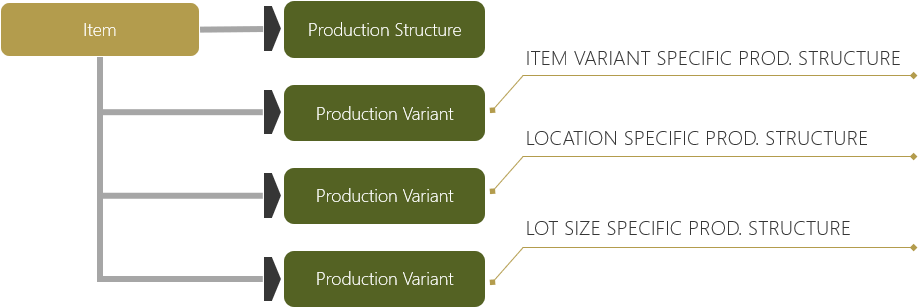
On the Production Structure page, the Production Variant information is entered on the Production Variant FastTab.
Creation of Production Variants
When creating a new production variant, the bill of materials, routings and/or recipes that have been created during certification will not be transferred as a standard option for the item card.
Sales Orders with Production Variants
If a sales order is placed for an item with different production variants containing the aforementioned criteria, a production order is created under consideration of the different production structures.
Production order lines are calculated using the different production structure variants and their specific BOM and routing information.
Production Structure Change in Production Order
You can change the production structure manually on existing production orders.
Note
Turn on the Allow Product Design Change in Prod. Order Line toggle in the Process Manufacturing Setup page to change the Production Structure No. on the production order line.
After changing the production structure, the Refresh Production Order function must be run to recalculate the production order without deleting the production lines.
Production Variant Calculations
For more information, see Detail Calculations.
Feedback
Submit feedback for this page .