A9) Service BOM Update on Service Shipment
This section focuses strictly on how the Service BOM is finalized when the repaired item is shipped. Shipment cost / billing mechanics were covered in step A8 and are not repeated here.
The purpose of this section is to translate the approved repair scope (Construction → Production) into an authoritative Service BOM state that reflects:
- Which components were physically replaced (historical trace)
- Which components were newly installed (additions)
- Which existing components were internally repaired (remain but flagged accordingly)
- Updated attributes that now define the repaired configuration
Preconditions (recap, no rework done here)
- Final Construction Order (execution repair) was created from the main Service Line (Spare Part Action (DM) = Component Repaired).
- Production Order finished (output = Repair Item with suffix, e.g. -REP).
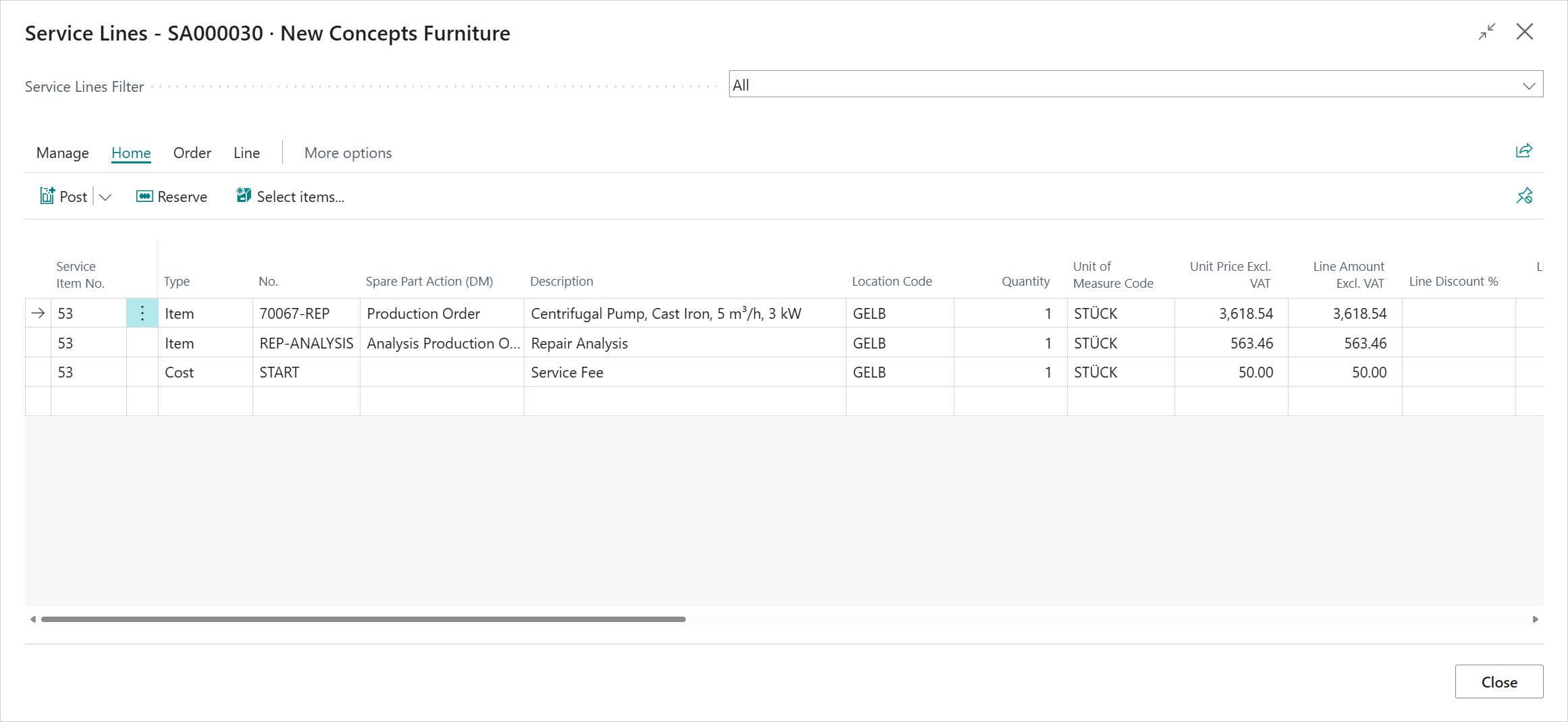
- Service Line for the repair output exists (Spare Part Action (DM) = Production Order).
Trigger
Posting the Service Shipment for the Repair Output Service Line (Spare Part Action (DM) = Production Order).
Line Evaluation Logic
Each (execution) Construction Line transferred from the final Construction Order is interpreted by the Spare Part Action (DM):
| Spare Part Action (DM) | BOM Effect | Replaced Flag in Service BOM | Structural Meaning |
|---|---|---|---|
| Component Replaced | Existing component logically retired, new one recorded | Yes | Substitution (old → new) |
| Component Installed | Added without retiring predecessor | No | Net addition (expansion) |
| Component Repaired | Same component retained (tracked as serviced) | Yes | Refurbished / restored |
Additional notes:
- Analysis / Analysis Production Order lines never affect the Service BOM.
- Pure G/L / cost / surcharge lines do not participate.
- Resource lines (labor) are not written to the Service BOM (they only affect cost), unless custom extensions inject them.
Resulting BOM State
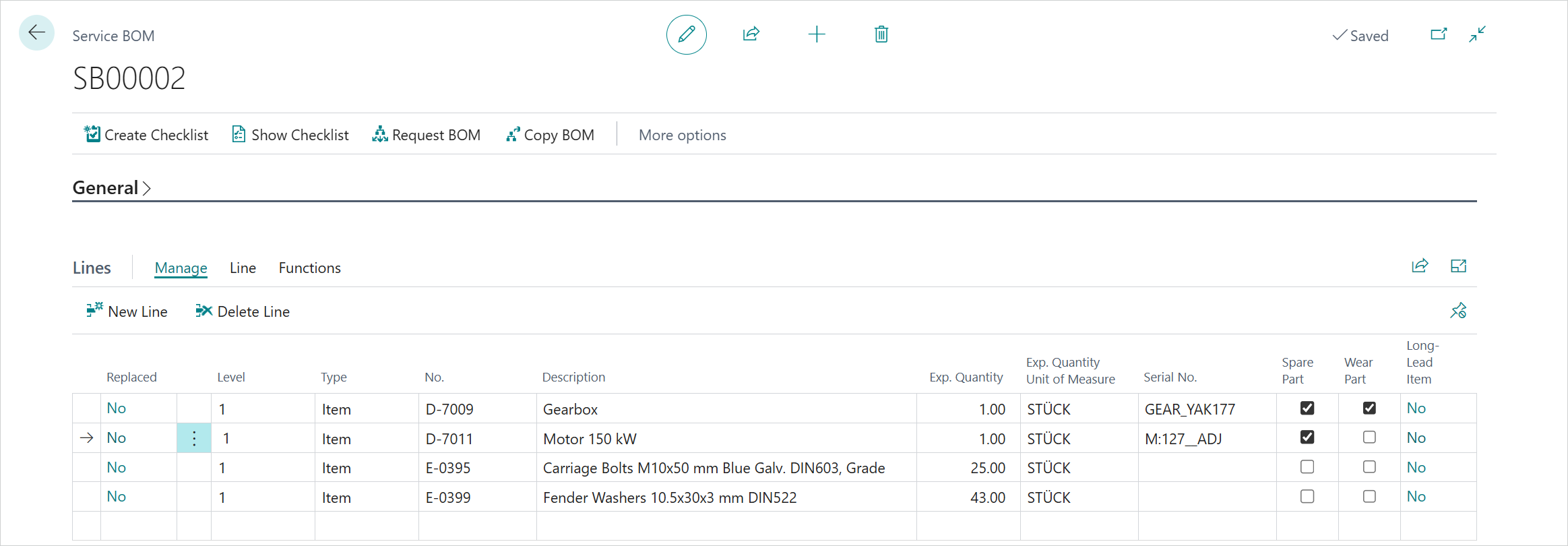
- The active Service BOM after shipment represents the post‑repair "as-maintained" structure.
- Replaced = Yes lines allow downstream analytics (failure pattern, replacement frequency).
- Newly installed parts (Installed) are distinguishable from substituted ones (Replaced).
- Repaired components (Component Repaired) keep continuity of identity while still flagged for service history.
Attribute Resolution Sequence
When Service Shipment posts and (if needed) updates or inserts BOM lines, attributes are assigned in this precedence:
- Construction Line Attributes (if present)
- Existing Active Service BOM (for unchanged retained components)
- Item / Item Variant (master data defaults)
Rationale:
- Construction captures the most specific "as-built" snapshot.
- Active BOM ensures continuity if no override was defined.
- Item master fills gaps for newly introduced components without explicit construction attributes.
Audit / Traceability
Key trace points:
- Service Shipment No. (document link)
- Construction Order No. (origin of transferred scope)
- Production Order No. (cost and output source)
- Replaced flag and posting date (component life event)
- Item Ledger / Value Entries (cost trail aligning later via Adjust Cost)
Do not delete / recreate the Service Shipment to "redo" BOM effects; instead record corrective follow-up (e.g., supplemental repair) through an additional controlled service process.
Edge Cases
- Analysis-only outcome (no execution Construction Order): Service BOM is not touched.
- Late discovery before shipment: add/adjust Service Lines, (if structural) re-run a controlled supplemental Construction step before shipping.
- Wrong Spare Part Action (DM) chosen: correct the Service Line (pre‑shipment), re‑create Construction scope if needed; avoid shipping with incorrect action to prevent historical pollution.
- Multiple sequential repairs: Each shipment commits a new BOM state; external reporting can diff consecutive snapshots.
Outcome Summary
- Service BOM now authoritative "as-maintained" structure.
- Repair Output Service Line posted (basis for invoicing already described in A8).
- Historical component transition (replace / install / repair) fully captured for lifecycle analytics.
Tip
Run the Adjust Cost - Item Entries batch job after shipment (timing per policy) so the Service BOM's cost-facing analytics align with finalized production valuations.
Previous / Next Step
A8) Production, Completion and Inventory / Billing Outcome
A10) Cost Finalization
Feedback
Submit feedback for this page .