Master Data
A single view of all maintained replenishment parameters (SKUs), with direct links into Business Central.
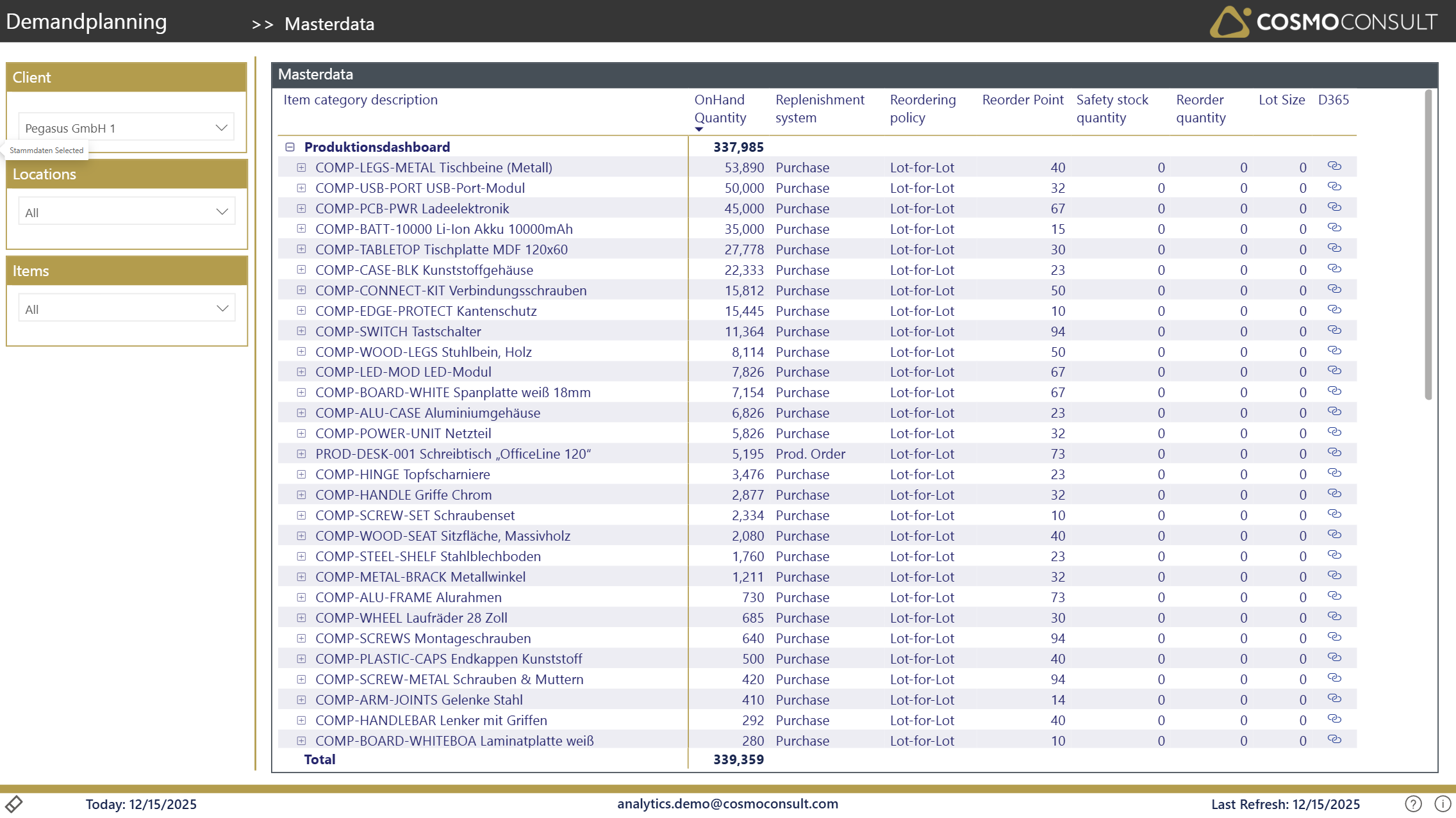
Review and validate the replenishment parameters for every item-location combination in one place, spot missing or inconsistent settings, and jump straight to the SKU card in Business Central to fix them.
At a glance
Generated from the report definition (Stammdaten / Stammdaten).
- Key visuals: matrix
What this report helps you do
- Review and validate SKU parameters across items and locations
- Identify items with missing or incomplete parameter settings
- Compare parameter settings across similar items or locations
- Open the SKU card in Business Central directly for parameter updates
Filters & slicers
| Filter | What it does |
|---|---|
| Client, Location, Item (Category) | Focus the parameter review on a company, location or item scope. |
Visuals on this page
SKU Parameters Table
A table with Item Category, Item and Description, Location, OnHand Quantity, Replenishment System, Reordering Policy, Reorder Point, Safety Stock Quantity, Reorder Quantity, Lot Size and a D365 deeplink (SKU_URL) to open the Item/SKU card in Business Central.
- Validate reorder point, safety stock, reorder quantity and lot size per SKU
- Spot items or locations that lack a proper parameter setup
- Open the SKU card in BC via the deeplink to correct parameters
Typical use cases
- Parameter Validation — Ensure SKU parameters are appropriate for current demand patterns and lead times.
- Gap Analysis — Identify item-location combinations that lack proper SKU parameter setup, especially for critical items.
- Standardization — Compare parameters across similar items to ensure consistent replenishment policies.
Related KPIs
- ReorderPoint
- SafetyStockQty
- OnHand Quantity
See the full KPI & measure catalog for definitions and formats.
Back to all Demand Planning standard reports · Semantic model · Key business questions