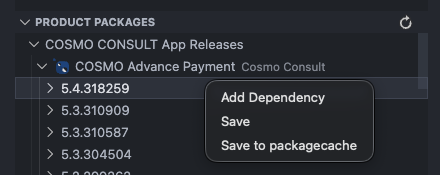
Packages View
The Packages view allows you to browse Business Central NuGet feeds and view package and version information.
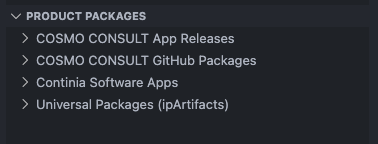
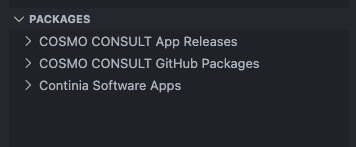
The feeds shown are configured in the backend. For example, for our COSMO users, we have feeds for our product and asset releases. We have also integrated the public feed from Continia.
Note
If you would like to set up dedicated feeds for your users, please get in touch.
All the feeds visible in the Packages View are also available in Alpaca containers as a source of dependency artifacts.
Custom NuGet feeds
You can also add custom NuGet feeds locally using the VS Code extension setting cosmo-alpaca.customNuGetFeeds. These custom feeds will then appear under the dedicated "Custom NuGet Feeds" node in the tree.
"cosmo-alpaca.customNuGetFeeds": [
    {
        "feedUrl": "https://...index.json",
        "pat": "",
        "filter": ""
    }
]
Parameters
| Element | Type | Value | |
|---|---|---|---|
feedUrl |
string | mandatory | URL of the NuGet feed |
pat |
string | optional | Personal Access Token (PAT) for authentication to the NuGet feed (if required) |
filter |
string | optional | Filter to apply when querying the NuGet feed (optional) |
Tip
Use the filter to include only packages containing a certain term. This is useful if you have a lot of packages in your custom feeds and only want to include the relevant ones.
Actions
- Package level:
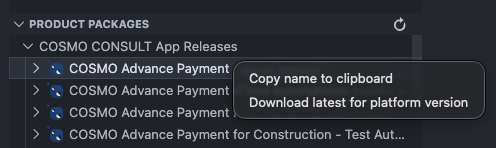
- Download for platform: Download the latest package build compatible with a specific BC platform version.
- Deploy to container: Deploy the latest available package version directly to a container. See Deploy Artifact to Container
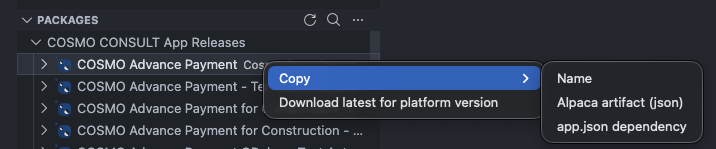
- Copy:
- Package name
- Alpaca artifact JSON (snippet for AL-Go configurations or
cosmo.json) - app.json dependency (snippet for app.json dependencies)
- Version level:
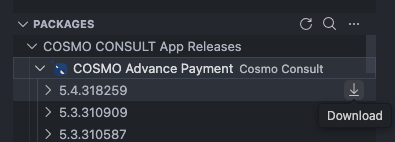
- Download: Save the specific version
- Download to AL package cache (technical view): Extract directly into the AL package cache directory to make it available for immediate use in AL development, eliminating the need to download symbols.
- Deploy to container: Deploy the specific package version directly to a container. See Deploy Artifact to Container
- Copy:
- Package name
- Alpaca artifact JSON (snippet for AL-Go configurations or
cosmo.json) - app.json dependency (snippet for app.json dependencies)