A7) Final Construction Order / Service Order (Execution Repair)
This step works both after a refined Repair Quote OR when starting directly from a Service Order without any quotation.
The purpose of this section is to create the final (execution) Construction Order that transfers the approved (or directly defined) repair scope into an executable structure and generates the Repair Output Item (suffix per setup, e.g., -REP). This differs from the analysis Construction Order: it represents the committed repair actions that will update the Service BOM at shipment.
Entry Scenarios
You reach this step in either way:
- Path A (Quotation first): Initial Service Quote → (optional analysis and refinement) → Converted Quote → Service Order now contains approved repair scope.
- Path B (Direct execution): You created a Service Order directly (no quotation). You defined the repair scope manually (or after informal internal approval) on the Service Item Worksheet. Skip all quotation/refinement references; continue here once scope is stable.
Prerequisites (both paths)
- Repair scope finalized (no pending commercial approval).
- Main Service Line (returned item) has Spare Part Action (DM) = Component Repaired.
- Scope lines to be executed have Spare Part Action (DM) in {Component Replaced, Component Installed, Component Repaired}.
- Sales Return Order posted (item physically received / reservation exists).
- Any analysis phase (if performed) is complete; analysis Construction / Production Order closed.
- Analysis cost collector line (Spare Part Action (DM) = Analysis Production Order) still present only if analysis was billable (it will NOT be part of execution).
Additional Notes (direct start / no quotation)
- If you never produced a quotation, ensure that only the intended execution lines (not exploratory placeholders) remain before creating the Construction Order.
- You can still add or adjust scope after creation by controlled supplemental steps, but avoid frequent delete/recreate cycles.
Important
Create the Construction Order for the MAIN Service Line (Spare Part Action (DM) = Component Repaired) – NOT on the analysis cost collector line.
Steps
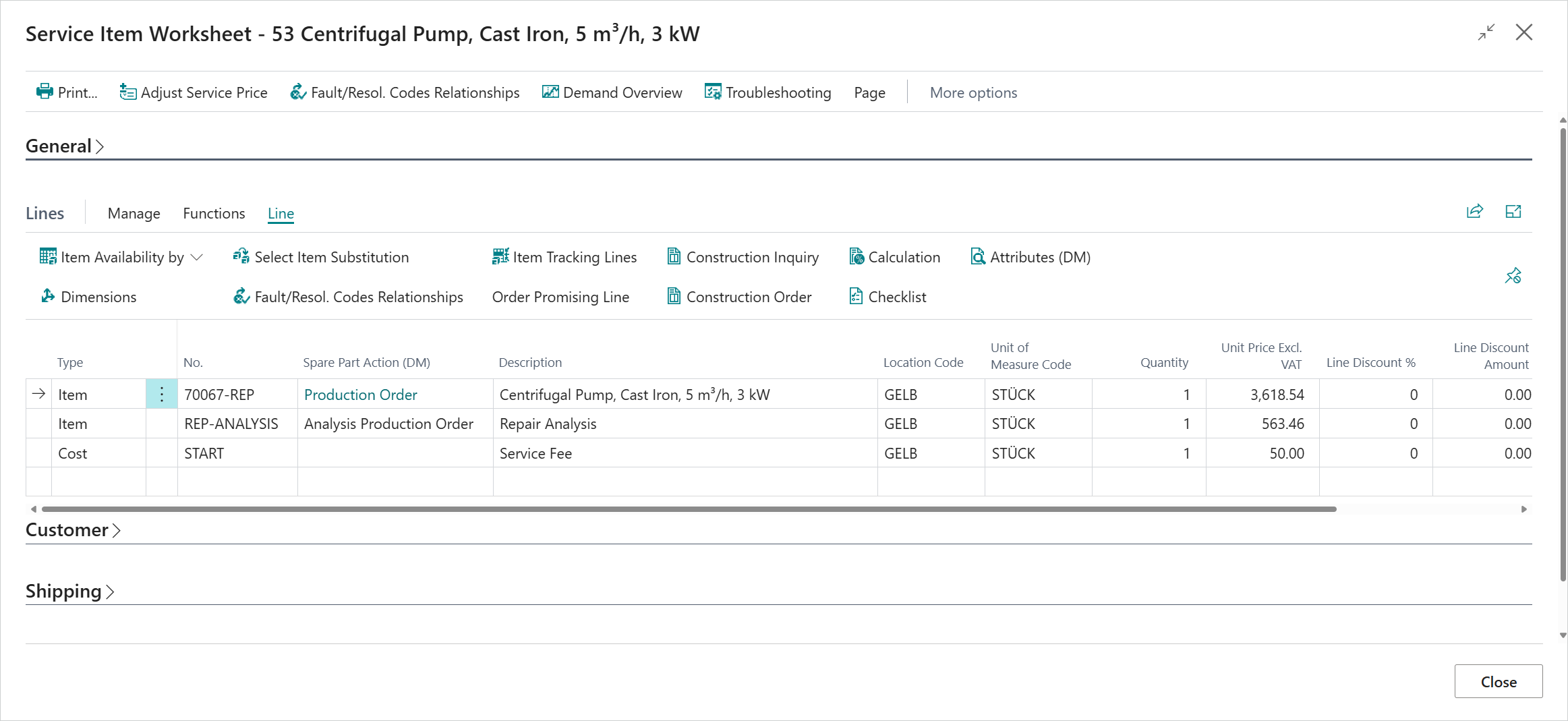
- Open the Service Item Worksheet.
- Select the main Service Line (Spare Part Action (DM) = Component Repaired).
- On the Lines FastTab, choose Construction Order.
- Confirm this is the final (execution) Construction Order (not analysis).
System Behavior
- Creates the Repair Output Item (suffix per CTO Setup) and inserts a new Service Line with Spare Part Action (DM) = Production Order.
- Transfers all qualifying Item and Resource Service Lines (Spare Part Action (DM) in {Component Replaced, Component Installed, Component Repaired}) as Construction Lines.
- Excludes Analysis / Analysis Production Order lines, pure G/L / cost / surcharge lines.
- Preserves reservations / tracking from the return (no second return).
- Prepares attribute source priority (Construction Line → existing Service BOM → Item/Variant defaults).
Note
Dates: The newly created Service Line inherits Posting/Planned/Requested/Promised Delivery and Needed by Date from the original Service Line. The execution Construction Order sets Shipment Date from Needed by Date; scheduling then derives the Ending Date and Due Date.
Result
You now have the authoritative execution Construction Order from which the Production Order is created. Production postings accumulate cost on the Repair Output Item; later Service Shipment will:
- Perform BOM update (replace/install/repair logic).
- Enable final cost and margin evaluation after Adjust Cost.
Tip
While working in Construction Orders or in Planned, Firm Planned, and Released Production Orders, use the Service Comments actions (Faults, Resolutions, Internal, Accessories, Loaners) to access RMA-related service comments in context. These actions are available only when an RMA No. is assigned, and the opened comments are filtered by the RMA context and selected comment category for consistent repair documentation.
If scope changes after creation:
- Minor additions: add Service Lines → (if supported) supplemental Construction / Production.
- Significant mis-scope: only as last resort delete and recreate; prefer additive correction for traceability.
Previous / Next Step
A6) Convert Refined Repair Quote into Existing Service Order (No New Order)
A8) Production, Completion and Inventory / Billing Outcome
Feedback
Submit feedback for this page .