Switch Platform View
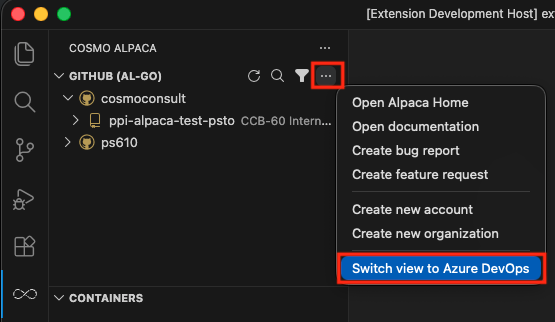
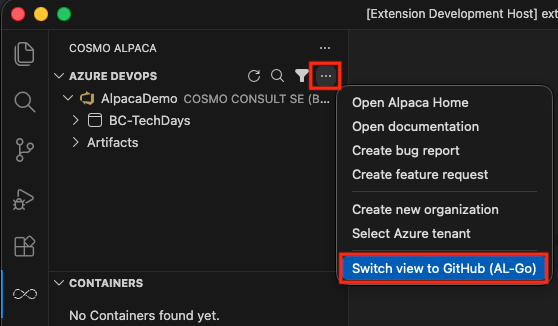
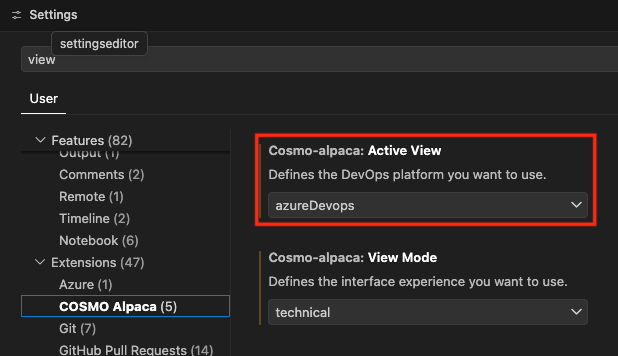
The COSMO Alpaca extension supports both Azure DevOps and GitHub (AL-Go). You can select your preferred platform during the initial setup of the extension (locally in VS Code or in the browser).
If you want to switch your platform view later on, you can do so directly in the UI:
And in the settings of the extension:
Switch View Mode
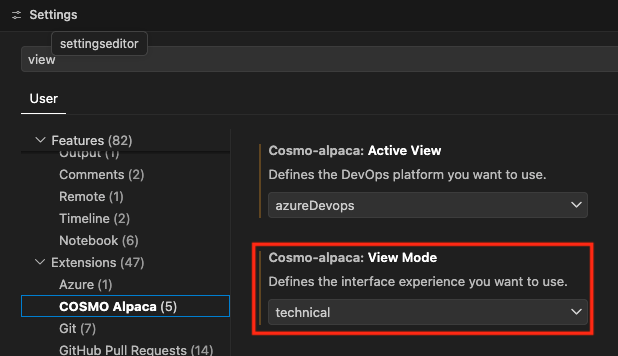
The extension also offers two view modes:
- technical: full interface with all features
- functional: simplified interface focused on core features (especially for non-technical users)
You can select your preferred view mode during the initial setup of the extension (locally in VS Code or in the browser).
If you want to switch your view mode later on, you can do so in the settings of the extension: